Table of Contents
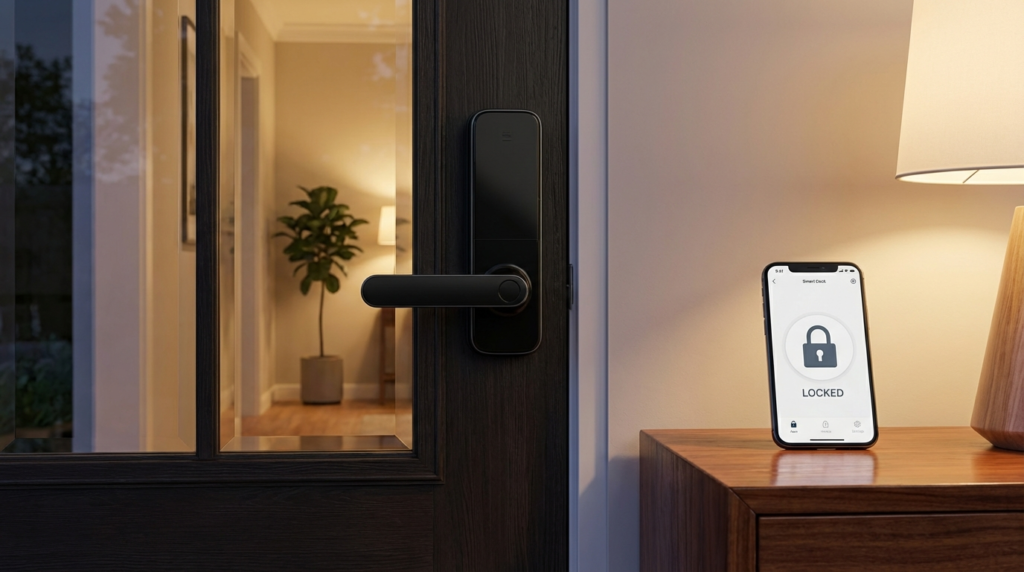
Smart door locks for home security are worth comparing by entry method, door fit and the way you plan to share access. This guide compares the Schlage Encode Plus with the Schlage Encode Smart WiFi Deadbolt using manufacturer documentation. It is a desk-researched comparison, not a hands-on review or a claim that either lock is the safest choice for every home.
The practical starting point is your household: do you want phone-based entry, guest codes, a familiar physical key or access through Apple Wallet? Schlage explicitly lists Apple home keys for the Encode Plus. Its standard Encode documentation instead describes remote management through the Schlage Home app. Read the Encode Plus specifications and the Encode specifications before choosing.
Comparing smart door locks for home security
The comparison here is deliberately narrow. Both named locks have detailed, publicly accessible manufacturer specifications. That lets you compare documented features without invented security scores, recognition-speed measurements or claims about months of home testing. It does not establish which brand would perform better in an independent forced-entry test.
For shared access, the models have a similar headline capacity: Schlage lists up to 100 access codes for each, managed through the Schlage Home app when the lock is connected to a secure Wi-Fi network. Capacity alone is therefore not a useful reason to choose the Plus. Compare the Plus access-management description with the standard Encode description.
Start your shortlist with the action you want at the doorstep. If tapping a compatible Apple device is the attraction, investigate the Plus. If the main task is giving a visitor an individual code and managing the lock through Schlage’s app, investigate the standard Encode. Those are buying priorities, not rankings, and the final decision should still depend on the door and the exact package being sold.
Schlage Encode Plus: investigate it for Apple home keys
Schlage says the Encode Plus works with Apple HomeKit and Apple home keys, allowing tap-to-lock or unlock with an iPhone or Apple Watch. That makes it the relevant model in this comparison for buyers specifically seeking that entry method. Check the device and setup requirements before ordering; the feature name is not a promise that every phone or watch will work. See Schlage’s tap-to-unlock description.
The Plus also has built-in Wi-Fi for control and monitoring through the Schlage Home app. Its product page states that no additional accessories are needed for that connected Schlage app experience. Keep the scope of that statement intact: it describes the manufacturer’s app connection, not every possible automation or platform configuration. The relevant conditions appear in the Encode Plus product overview.
For a household, the useful question is whether tap entry solves a recurring nuisance. A resident may prefer leaving a phone in a pocket and using a watch; a guest may prefer a code. Write down those preferences before paying for features that will go unused. Also ask whoever manages the home accounts to walk through how another resident would gain and later lose access.
Understand the battery claim
Schlage lists four AA batteries, a physical backup key and up to six months of battery life with typical use for the Plus. Treat that last figure as a manufacturer estimate, not an observed result from this article. The same page lists low-battery indications on the touchscreen and in the app. Follow the specified battery chemistry and replacement guidance rather than substituting advice from a different lock. See the battery and backup-key details.
Schlage Encode: investigate it for app and code access
The standard Encode product page describes remote management through the Schlage Home app without additional accessories when connected to the home’s Wi-Fi network. It also lists voice control through Amazon Alexa and Google Assistant when paired with the Schlage Home app and a voice-enabled device. These are documented features, not evidence of faster responses or more reliable connections than a competing product. Read the Encode overview and voice-control conditions.
Schlage also lists configurable auto-lock delays and exterior one-touch locking for the Encode. Those settings are worth examining if household members often leave by different routes or have different routines. A feature being available does not mean its default setting suits your door or your habits. See the manufacturer’s auto-lock description.
Consider the standard model when you are trying to solve a specific access-management problem rather than build a feature collection. Examples include replacing a shared guest key with individual credentials or checking whether a family member remembered to lock up. Before purchasing, ask the seller to identify the precise model and finish; a listing with a familiar family name is not enough.
Check the door before the app
For the named Century-trim models, Schlage lists a door-thickness range of 1-3/8 to 1-3/4 inches and an adjustable backset of 2-3/8 or 2-3/4 inches. These are product-specific fit details, not a declaration that every entrance uses those measurements. Compare your measurements with the Plus fit specifications and the Encode fit specifications.
Before buying, photograph the existing hardware and record how the door behaves. Does the bolt turn freely with the door open? Does it still turn freely when closed? If you have to lift the handle or push hard on the door, ask an installer to inspect the alignment before ordering a motorized replacement. Do not use an app feature list as a substitute for assessing the opening itself.
If you rent, obtain permission before changing hardware. Ask the landlord about retained keys, restoration at move-out and any building-specific requirements. This comparison does not recommend either model as an interior-only retrofit. If keeping the existing exterior hardware is essential, make that a separate requirement and research a specifically documented retrofit product.
Check the network at the entrance
Both product specification pages require a 2.4GHz Wi-Fi network. Confirm that requirement against your router settings and the exact lock listing before checkout. Do not assume that a product’s built-in Wi-Fi means it can join any network configuration. The requirements are listed in the Plus wireless specifications and Encode wireless specifications.
Build an access and backup plan
Write an access plan before installation. List the residents who need permanent entry, the visitors who need temporary entry and the person responsible for removing old permissions. Where the selected app offers scheduling, check the schedule in the interface rather than relying on a note in a message thread. Make access removal part of the end of a service arrangement.
Plan for an ordinary bad day: a lost phone, a forgotten account password or a depleted battery. Decide where an authorized person can obtain backup access without leaving a key in an obvious hiding place. Read the lock’s own instructions for an outage or battery failure; this guide does not claim that remote controls, notifications and local entry behave identically under those conditions.
During commissioning, ask the installer to demonstrate locking, unlocking and the chosen backup procedure while an authorized person remains inside. Check the settings with the door open before relying on them with the door closed. Keep the instructions somewhere accessible to the household rather than leaving them only in the purchaser’s email account.
Budget for ownership, not just checkout
Ask for a total that includes the exact lock, delivery, any door work and installation if you need it. Compare like-for-like finishes and packages. This article intentionally does not give a price ranking: a temporary retailer discount would not establish which product offers better value for your household.
You can browse Amazon and Home Depot. Those retailer homepages are not model-specific offers. Confirm the model number, included items and return conditions on the actual listing you choose.
For broader planning, the site’s smart home hub guide and home security system guide are related reading. Treat the lock purchase as its own compatibility decision rather than assuming that a recommendation for another device transfers to your entrance.
Common buying questions
Does this comparison identify the most secure lock?
No. It compares documented buying features and installation requirements. It does not include destructive testing, a software security audit or a measured reliability study. Ask a qualified local installer about your door and the standards relevant to your property before treating any product as a security upgrade.
Should everyone choose the Plus?
No. Begin with the entry method you need, then confirm fit, account setup and the complete purchase cost. Paying for a feature that nobody in the household intends to use is not a useful upgrade. Conversely, a cheaper listing is not a saving if it omits the feature that prompted the purchase.
Make the final choice
Shortlist the Encode Plus for its documented Apple home-key capability, or examine the standard Encode for the app-and-code use case described above. Then resolve the unglamorous details: door measurements, permission, network requirements and backup access. A clear household plan is more useful than an unsupported overall winner.
Get the 4casahome digest
Honest reviews and no-hype guides — straight to your inbox. No spam, unsubscribe anytime.
Some links in our articles are affiliate links. See our full Affiliate Disclosure for details.

Join the conversation