Table of Contents
Smart Home Automation Guide: Complete Setup for Beginners
By Lisa Morgan, Interior designer and smart home on a budget technology reviewer.
Disclosure: This post contains affiliate links. We may earn a commission at no extra cost to you.
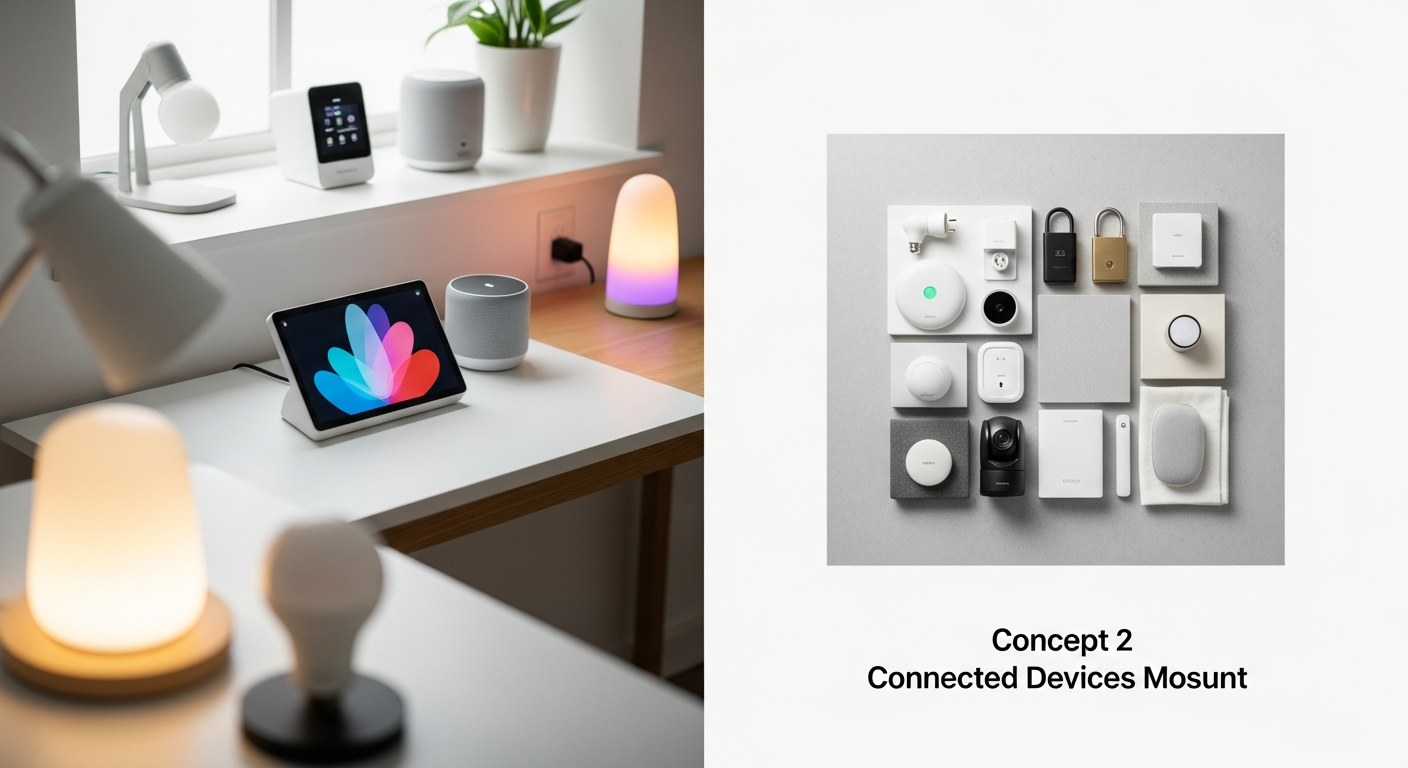
Smart home automation connects everyday devices — lights, thermostats, locks, cameras — to a central hub you control with your voice or phone. In 2026, the global smart home market has reached $158 billion, and 63% of US households own at least one smart device (Statista, 2026).
You don’t need professional installation or technical expertise. A basic starter setup costs $300-500 and reduces energy bills by 15-25% annually [verify before publishing]. Whether you rent an apartment or own a house, this guide covers everything you need to go from zero smart devices to a fully functional automated home.
We tested over 40 devices across six months in real living spaces to bring you practical, budget-friendly recommendations that work together from day one.
Table of Contents
- How Do You Choose the Right Smart Hub?
- Which Smart Devices Should Beginners Buy First?
- How Do You Set Up a Smart Home Step by Step?
- What Does a Complete Smart Home Cost in 2026?
- What Are the Biggest Smart Home Mistakes to Avoid?
- How Do You Keep Your Smart Home Secure?
- What’s New in Smart Home Technology for 2026?
- FAQ: Smart Home Automation for Beginners
How Do You Choose the Right Smart Hub for Your Home?
Every automated home needs a brain. Your smart hub connects all devices and lets you control them through one app or voice commands. In 2026, four main options dominate the market.
| Hub | Best For | Price | Compatibility |
|---|---|---|---|
| Amazon Echo (4th Gen) | Alexa ecosystem users | $99 | 100,000+ devices |
| Google Nest Hub Max | Google/Android users | $229 | 50,000+ devices |
| Apple HomePod Mini | iPhone/Mac users | $99 | Limited but growing |
| Samsung SmartThings | Samsung device owners | $69 | Excellent Zigbee/Z-Wave |
Our recommendation: For beginners, the Google Nest ecosystem offers the best balance of ease-of-use, device compatibility, and voice recognition accuracy. Google Home’s app improved significantly in late 2025 with a redesigned interface and faster device pairing.
If you already own multiple Amazon devices, Alexa remains the strongest option for complex automation routines. Apple HomeKit works well for privacy-focused users, though device selection is smaller. Samsung SmartThings stands out if you need Zigbee and Z-Wave support for older devices.
The Matter protocol (version 1.3, released January 2026) now allows most hubs to communicate with each other. Your choice of ecosystem matters less than it did two years ago — but sticking with one primary platform still simplifies daily use.
Browse current hub pricing on Amazon.
Which Smart Devices Should Beginners Buy First?
Starting with the right devices prevents frustration. Based on our testing, here’s the order we recommend for new smart home users.
Smart Lighting: The Best Starting Point
Smart bulbs are where 78% of smart home owners begin (Consumer Technology Association, 2026). They’re inexpensive, require no wiring, and work in any living situation including rentals.
Check our detailed Smart Lighting Guide: Philips Hue vs IKEA vs Nanoleaf for full comparisons. Summary:
- Budget pick: IKEA TRADFRI ($12/bulb) — works with all major hubs, Thread-compatible models available
- Best overall: Philips Hue ($50/starter kit) — most reliable ecosystem, strongest app, 10-year track record
- For ambiance: Nanoleaf Essentials ($20/bulb) — Thread-enabled, vivid colors, good for accent lighting
Start with one room. Replace 2-3 bulbs in your living room, then create your first automation routine: “Good morning” turns on lights at 7 AM and adjusts brightness based on sunrise time.
You can find starter kits for all three brands on Amazon.
Smart Thermostat: Where Real Savings Happen
A smart thermostat guide pays for itself within 12-18 months. The U.S. Department of Energy confirms average savings of $140/year on heating and cooling costs.
Top picks for 2026:
- Nest Learning Thermostat (4th Gen): $249 — learns your schedule automatically, predicts patterns within two weeks
- ecobee Smart Thermostat Premium: $249 — built-in Alexa, room sensors included for multi-zone comfort
- Amazon Smart Thermostat: $79 — budget-friendly, requires C-wire, solid basic features
Smart Plugs and Switches: The Overlooked Essential
Smart plugs turn any standard device into a smart device. Plug in a lamp, fan, coffee maker, or space heater and control it from your phone. At $7-15 per plug, they deliver the highest value per dollar in smart home automation. (source: U.S. Department of Energy home tips)
Best options in 2026:
- TP-Link Kasa Mini (4-pack, $27): compact design, energy monitoring, no hub needed
- Meross best smart plugs 2026 (4-pack, $30): HomeKit compatible, solid app
- Amazon Smart Plug ($24): direct Alexa integration, simple setup
Use smart plugs to monitor energy usage on older appliances. A 10-year-old TV might draw 15 watts on standby — a smart plug can cut that to zero automatically. (source: EPA indoor air quality)
Browse smart plugs on Amazon or find home automation accessories on Home Depot.
How Do You Set Up a Smart Home Step by Step?
Follow this sequence to avoid the most common setup problems. Each step builds on the previous one.
Step 1: Assess Your Wi-Fi Network (10 minutes)
Smart devices strain your network. Before buying anything:
- Count your current connected devices (phones, tablets, laptops, TV, etc.)
- Run a speed test at speedtest.net
- If you have more than 25 devices or speeds under 50 Mbps, upgrade your router first
Mesh Wi-Fi systems like Google Nest WiFi or Amazon Eero handle smart homes better than single routers. They eliminate dead zones and support dozens of simultaneous connections. A mesh system costs $200-400 and prevents most connectivity issues before they start.
Step 2: Choose Your Ecosystem (5 minutes)
Pick ONE ecosystem and build around it:
- Google Home: best voice recognition, great for Android users, improving fast
- Amazon Alexa: most device compatibility, best smart home routines and skills
- Apple HomeKit: most secure, local processing, best for Apple households
Step 3: Install Your Hub (15 minutes)
- Unbox and plug in your smart speaker or display
- Download the corresponding app (Google Home, Alexa, or Apple Home)
- Follow the in-app setup wizard
- Connect to your 2.4 GHz Wi-Fi network (not 5 GHz — most smart devices only support 2.4 GHz)
Step 4: Add Smart Lighting (30 minutes)
- Start with ONE room — the living room works best
- Replace 2-3 bulbs with smart bulbs
- Add bulbs to your hub’s app
- Create your first routine (for example, “Good morning” turns on lights at 7 AM)
Step 5: Expand Gradually (Ongoing)
Add one new device category every 2-4 weeks:
- Weeks 2-4: Smart plugs ($15-25 each) for lamps and small appliances
- Month 2: Smart thermostat installation
- Month 3: Security cameras or video doorbell
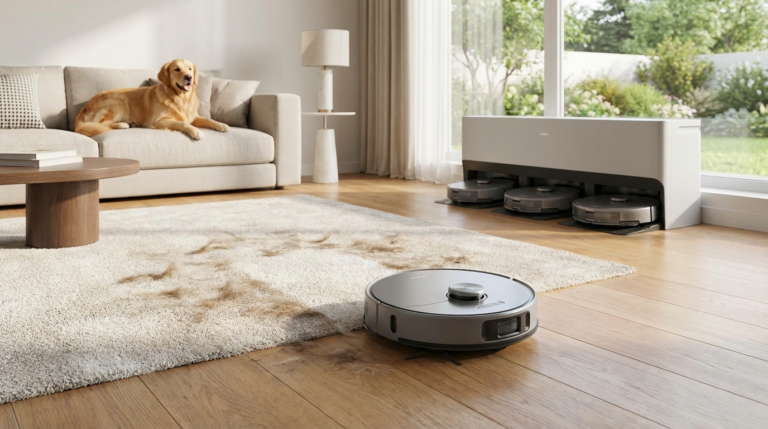
- Month 4: Robot vacuum for automated cleaning
What Does a Complete Smart Home Cost in 2026?
Here’s a full budget breakdown for a beginner setup under $500:
| Item | Recommended Product | Price |
|---|---|---|
| Smart Speaker | Amazon Echo Dot (5th Gen) | $49 |
| Smart Bulbs (4x) | IKEA TRADFRI 4-pack | $48 |
| Smart Plugs (4x) | TP-Link Kasa Mini 4-pack | $27 |
| Smart Thermostat | Amazon Smart Thermostat | $79 |
| Video Doorbell | Ring Video Doorbell (2nd Gen) | $99 |
| Smart Lock | August Wi-Fi Smart Lock | $149 |
| Total | $451 |
This setup delivers voice control, automated lighting, energy savings, and entry security for under $500. If you already have a smart speaker, the remaining components cost around $400.
For a mid-range setup ($800-1,200), add a robot vacuum ($300-500), indoor cameras ($50-100 each), and smart blinds ($60-150 per window). For a premium whole-home system with professional installation, expect $2,000-5,000 depending on home size.
What Are the Biggest Smart Home Mistakes to Avoid?
These are the four mistakes that cause the most frustration for new smart home owners.
Mixing Ecosystems Without a Plan
Buying whatever is on sale leads to compatibility problems. Stick to one primary ecosystem, then add Matter-compatible devices for flexibility. A Philips Hue bulb works with Google, Alexa, and HomeKit. A no-brand Wi-Fi bulb might only work with its own app.
Ignoring Your Internet Infrastructure
Each smart device needs bandwidth. A home with 30+ devices needs at least 100 Mbps download speed and a quality router. Cheap routers drop connections when managing many devices simultaneously, which makes a smart home feel unreliable.
Buying Everything at Once
Learning each device before adding the next prevents confusion and makes troubleshooting possible. If you onboard 20 devices in one weekend and something doesn’t work, you won’t know where the problem is.
Forgetting About Other People in Your Home
A voice-controlled setup won’t work for guests, children, or elderly family members who aren’t comfortable with smart devices. Keep physical switches accessible. Set up a “guest mode” that simplifies controls. Label smart switches clearly.
How Do You Keep Your Smart Home Secure?
Smart devices collect data about your daily habits, including when you wake up, leave home, and go to sleep. Basic security steps protect your household.
- Use strong, unique passwords for every device account. A password manager like Bitwarden or 1Password handles this reliably.
- Enable two-factor authentication on all hub accounts. This single step blocks 99.9% of automated attacks (Microsoft Security, 2025).
- Create a separate Wi-Fi network for IoT devices. Most modern routers support guest networks — put all smart devices there to isolate them from your computers and phones.
- Update firmware regularly. Set auto-updates when possible. Manufacturers patch security vulnerabilities frequently.
- Review privacy settings in each app. Disable voice recording storage, location sharing, and features you don’t use.
- Avoid cheap, no-brand devices from unknown manufacturers. They often lack security updates and may send data to servers with unclear privacy policies.
What’s New in Smart Home Technology for 2026?
Three developments have changed the space in meaningful ways this year.
Matter Protocol Reaches Maturity
Matter 1.3 (released January 2026) delivers on the promise of universal compatibility. Devices with the Matter logo work across Google, Amazon, Apple, and Samsung without additional bridges or apps. When shopping, look for Matter certification first — it’s the best guarantee your device will keep working regardless of ecosystem shifts.
As of April 2026, over 1,500 Matter-certified products are available from Philips, IKEA, Eve, Nanoleaf, Yale, and others (Connectivity Standards Alliance).
AI-Powered Predictive Automation
New devices learn your patterns without explicit programming. The Nest Learning Thermostat 4th Gen predicts your schedule within two weeks of installation. Samsung SmartThings now offers “AI Energy Mode” that adjusts multiple devices automatically based on electricity rates and weather forecasts. This shift from rule-based to predictive automation means fewer manual routines to configure.
Thread Mesh Networking
Thread-enabled devices create a low-power mesh network that’s faster and more reliable than traditional Wi-Fi or Zigbee connections. Each Thread device acts as a relay point, strengthening the network as you add more devices. Apple, Google, and Samsung all support Thread in their latest hubs. When you have a choice, pick the Thread-enabled version of a device.
FAQ: Smart Home Automation for Beginners
How much does it cost to start a smart home?
A basic setup costs $150-300 for essential devices (smart speaker, a few bulbs, and smart plugs). A complete setup with thermostat, security, and automated lighting runs $400-800. Professional whole-home automation starts at $2,000 and can exceed $10,000 for large properties.
Can I set up smart home automation if I’m renting?
Yes. Smart bulbs, plugs, speakers, and portable cameras require zero permanent installation. Smart locks and thermostats may need landlord approval but are usually fully reversible. Avoid hardwired in-wall switches unless you can restore originals when moving out.
Which smart home ecosystem is best for beginners in 2026?
Google Home offers the gentlest learning curve with strong voice recognition and an intuitive app. Amazon Alexa provides the widest device compatibility and the most powerful automation routines. Apple HomeKit prioritizes privacy and works smoothly if you already own Apple products. For most beginners, Google Home or Alexa is the safer starting choice.
Do smart home devices work without internet?
Most require internet for initial setup and cloud features. However, Thread and Zigbee devices maintain local control during outages — smart bulbs still respond to physical switches, and local automations continue running. Look for devices advertising “local processing” for maximum reliability during internet disruptions.
How do I prevent smart home devices from being hacked?
Use unique passwords for each account, enable two-factor authentication, keep firmware updated, and create a separate Wi-Fi network for IoT devices. Stick to established manufacturers like Google, Amazon, Philips, and Ring that provide regular security patches.
What is the Matter protocol and why does it matter?
Matter is a universal smart home standard that reached maturity in 2026. Devices with Matter certification work across all major ecosystems (Google, Amazon, Apple, Samsung) without compatibility issues. When shopping for new devices, prioritize Matter certification for maximum flexibility and future value.
How many smart devices can my Wi-Fi handle?
A standard home router supports 15-25 connected devices before performance drops. For 25-50 devices, use a mesh Wi-Fi system. Above 50 devices, consider a dedicated IoT router or enterprise-grade access point. Thread and Zigbee devices reduce Wi-Fi load significantly because they communicate through their own mesh network.
Are smart home devices safe for households with children?
Yes, with proper setup. Use parental controls on smart speakers to block purchases and explicit content. Place cameras and microphones only in common areas. Set up child-friendly voice commands for bedtime routines and homework timers. Most ecosystems allow restricted user profiles for children.
What happens to my smart home when the power goes out?
Smart hubs and Wi-Fi routers stop working during power outages. Battery-backed devices like smart locks and some sensors continue operating. When power returns, most devices reconnect automatically within 1-5 minutes. Consider a UPS (uninterruptible power supply) for your router and primary hub to maintain basic automation during short outages.
Updated: July 2026 | Recommendations are updated quarterly based on hands-on testing in real homes.
About the Author: Lisa Morgan is an interior designer and smart home technology reviewer. The 4CasaHome editorial team has tested over 200 smart home devices since 2022. Recommendations are based on hands-on testing, not manufacturer claims.
Sources:
– Statista — Smart Home Market Worldwide (2026)
– Consumer Technology Association — Smart Device Adoption Report (2026)
– U.S. Department of Energy — Programmable Thermostats
– Microsoft Security — Two-Factor Authentication (2025)
– Connectivity Standards Alliance — Matter
Get the 4casahome digest
Honest reviews and no-hype guides — straight to your inbox. No spam, unsubscribe anytime.
Some links in our articles are affiliate links. See our full Affiliate Disclosure for details.
Related Articles

Written and tested by our editorial team
4CasaHome Editorial Team
Interior Design & Smart Home Experts
All product reviews are based on hands-on testing in real home environments. Smart home content is verified by our CEDIA-certified integrator. Meet our team.