Table of Contents
This article contains affiliate links. We may earn a commission at no extra cost to you.
Best Smart Home Devices for Renters in 2026: No Damage, No Regrets
Last updated: March 18, 2026 | By Marcus Webb
Most smart home on a budget guides are written for homeowners – people who can drill holes, rewire switches, and leave a Nest thermostat behind without losing their security deposit. If you rent, you need something totally different. The best smart home devices for renters in 2026 are completely removable, require zero tools in most cases, and protect you from risks most tech guides don’t even mention – like a $10,000 water damage bill. This guide covers the seven devices truly worth buying, the ones you should absolutely avoid in a rental, and how to handle the tricky stuff no other article talks about.
Quick Answer Box
Top pick for renters: SwitchBot Smart Lock ($65) – installs with adhesive, keeps your landlord’s key working. Easy peasy.
Most underrated pick: Govee WiFi Water Sensor ($31) – prevents the #1 insurance claim risk for renters. Seriously, get one.
Best lighting system: IKEA Matter smart bulbs (~$250 whole home) – 100% lease-safe, Matter-compatible.
Skip these: Smart light switches, hardwired doorbells, any device that requires cutting or splicing wires. Just don’t.
Table of Contents
- What Renters Should Actually Look For
- Top 7 Picks for Renters in 2026
- Detailed Reviews
- Installation Tips for Renters
- Budget vs. Premium Options
- FAQ
- Final Recommendation
What Renters Should Actually Look For
Before you buy anything, you need to answer three questions: Does it require drilling? Does it need wiring? And if your landlord sees it, will they even care?
Honestly, most renter guides stop right there – “no drill, no problem.” But there’s way more to it than just saving your deposit. Water damage is the most common home insurance claim in the United States, with the average payout exceeding $10,000 per incident. A renter who ignores a slow leak under the washing machine isn’t just risking their deposit; they can be held liable for damage to the unit below theirs. That’s a financial exposure most people don’t think about until it’s way too late.
Here’s what you really need to evaluate before making any purchase:
- No permanent modifications: This means absolutely no drilling, no wire splicing, and definitely no paint removal. Adhesive mounts and plug-in designs are the only way to go.
- Landlord-compatible: For locks, the device absolutely must allow your landlord’s original physical key to keep working.
- Portable: You should be able to factory reset it and take it with you on moving day.
- Wi-Fi flexibility: If your building provides shared internet without router access, prioritize Bluetooth or Matter-over-Thread devices.
- Roommate management: Multi-user apps with individual access controls really matter if you share your space.
One more thing: check your lease. Some leases explicitly restrict lock modifications, regardless of how reversible the change is. Florida law, for example, requires a tenant to get landlord consent before changing locks, even temporarily. When in doubt, ask in writing – most landlords will approve a retrofit smart lock once they understand the original key still works. Why wouldn’t they?
Top 7 Smart Home Picks for Renters in 2026
| Device | Price | Best For | Install Type | Lease Risk |
|---|---|---|---|---|
| Govee WiFi Water Sensor | ~$31 | Damage prevention | Floor placement | None |
| SwitchBot Smart Lock | ~$65 | Keyless entry | Adhesive, no drill | Low (check lease) |
| Philips Hue Starter Kit | ~$80 | smart lighting comparison | Screw-in bulbs | None |
| Google Nest Thermostat E | ~$130 | Energy savings | Replaces existing thermostat | Medium (ask landlord) |
| Arlo Essential Indoor Camera | ~$80 | Home security | Magnetic stand | None |
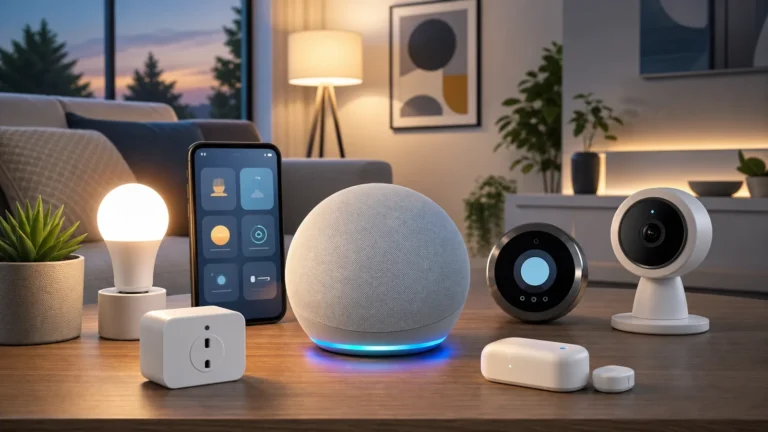
| Amazon Echo Dot (5th Gen) | ~$50 | Smart hub + voice control | Plug-in | None |
| Kasa Smart Plug Mini | ~$15 | Automating existing appliances | Plug-in | None |
Detailed Reviews
1. Govee WiFi Water Sensor – The Device Every Renter Needs First
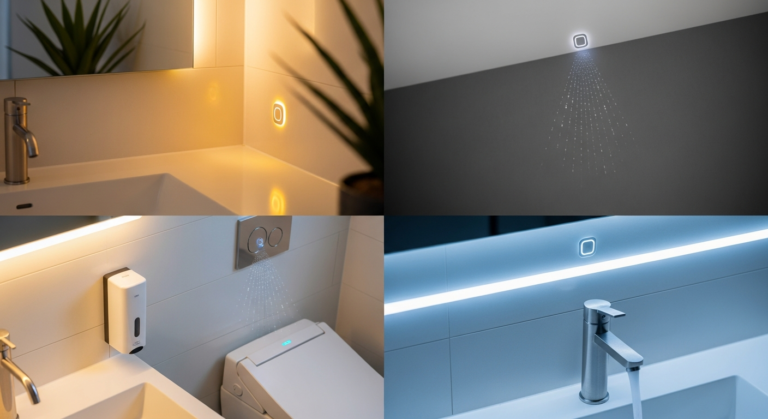
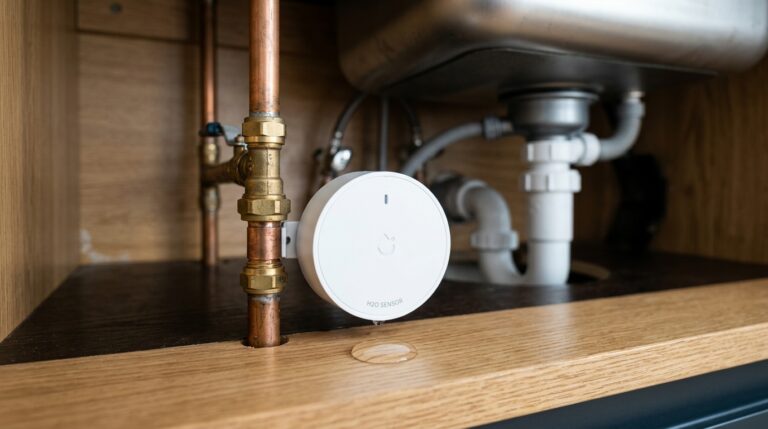
This isn’t the most exciting item on this list, I’ll admit, but it’s hands down the most important. Just place one under your washing machine, near your water heater, or under the bathroom sink. If water touches the sensor, your phone gets an alert within seconds. The Govee connects directly to your home Wi-Fi – no hub required – and the app even lets you set custom alert thresholds.
At just $31,, this device can prevent a $10,000+ insurance nightmare. For renters in apartments, where a leak in your unit can easily travel through floors and damage the unit below yours, this is all about liability protection, not just protecting your own stuff. Most renter guides completely overlook this. Don’t make that mistake; it’s a small price for huge peace of mind.
Pros: Dirt cheap, Wi-Fi direct, instant phone alerts, works anywhere with power via USB.
Cons: Basic app, no smart home ecosystem integration by default.
Verdict: Buy this before anything else on this list. Seriously, go get it.
2. SwitchBot Smart Lock – Best Retrofit Lock for Renters
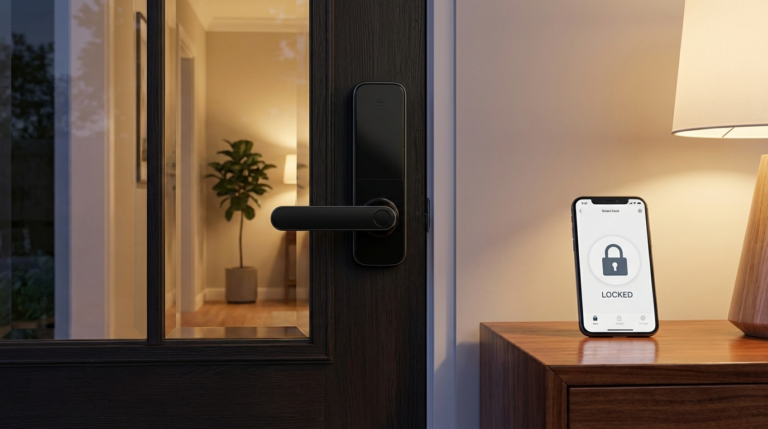
This is the smart lock CNET’s home security team actually endorses for rental situations. It clamps directly onto your existing deadbolt from the inside using adhesive – no drilling, no replacing the cylinder, and absolutely no interfering with your landlord’s external key. You get smartphone control, auto-lock, and optional keypad add-ons.
The critical advantage for renters: your landlord’s key still works exactly as it did before. The SwitchBot only replaces the interior thumb turn. If you’re moving out, it just peels right off and leaves no marks. For roommates, the SwitchBot app lets you create individual digital keys with time-limited access – super useful for when someone moves out and you need to revoke their entry instantly. No more worrying about old keys floating around!
Pros: Truly no-drill, landlord key remains functional, good roommate access management.
Cons: Requires SwitchBot Hub for full remote access, response time can be a second or two slower than premium locks.
Verdict: The cleanest smart lock solution for renters in 2026, bar none.
3. Philips Hue / IKEA Matter Bulbs – Best Smart Lighting
Smart bulbs are the most renter-friendly category out there: you screw them in, they’re yours, and you take them when you leave. In 2026, there are two tiers worth knowing about, depending on your budget and needs.
Budget: IKEA’s Matter-enabled Trådfri and Dirigera ecosystem can kit out an entire home for around $250 and works with Alexa, Google Home automation guide, and Apple Home. If your building has shared internet without router access, the IKEA Dirigera hub creates a Zigbee mesh that doesn’t depend on your router’s settings. Pretty clever, right?
Premium: Philips Hue’s new Essential series brings starter bulbs down to $15 each. A full home setup runs around $400 but gives you better color accuracy, faster response, and a more stable ecosystem with the Hue Bridge. What I find interesting is how much more strong the Hue system feels for just a bit more investment. (source: U.S. Department of Energy home tips)
For renters on a budget, start with IKEA. For those who want the best experience and plan to use the system for years, Hue is absolutely worth the premium. (source: EPA indoor air quality)
Verdict: Start with IKEA if budget-conscious. Invest in Hue if you want the top-tier experience.
4. Google Nest Thermostat E – Best Smart Thermostat for Most Rentals
Smart thermostats are a bit of a gray area for renters, I’ll be honest. This is a device that requires replacing the existing thermostat – which technically counts as a modification. The approach that works best: ask your landlord first, frame it as a benefit to them (lower heating bills, potential insurance discount), and offer to reinstall the original when you leave. Most landlords will say yes once they understand the benefits.
The Nest Thermostat E is the right ask because it often doesn’t need a C-wire in most setups – it works with a Heat Link E module that connects wirelessly. Per T3’s home tech team, this is the model that’s compatible with the widest range of HVAC systems without professional installation. You can even install and uninstall it yourself in under 30 minutes. How easy is that?
Pros: Works without C-wire on most systems, energy savings of 10-15% on heating bills, easy DIY install.
Cons: Requires landlord buy-in, minor risk of void lease if done without permission.
Verdict: Worth asking for. Most landlords will say yes when you explain the benefits.
5. Arlo Essential Indoor Camera – Best Wireless Security Camera
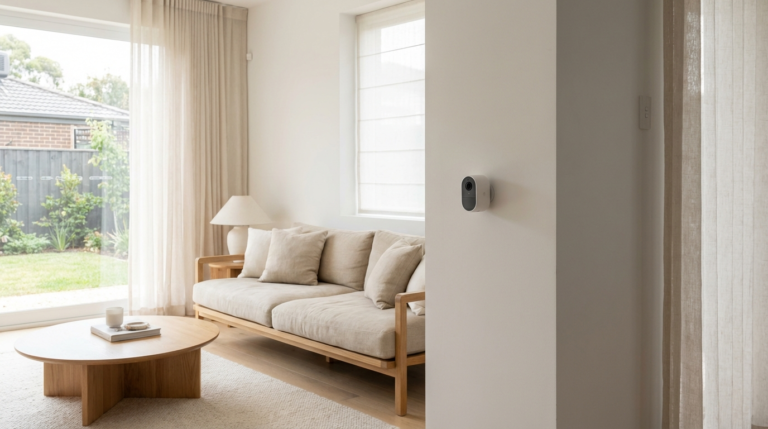
Arlo’s Essential Indoor camera is fully wireless, charges via USB, and sits on a magnetic base – no mounting required. Just place it on a shelf, aim it at the front door, and you’re done. The camera has local storage via USB and optional cloud backup. No subscription is required for basic motion alerts, which is a big plus.
One note for renters in apartments: be thoughtful about camera placement. Pointing a camera at a shared hallway raises privacy concerns and may violate building rules. Keep cameras inside your unit only, aimed at interior spaces you control. It’s just good etiquette, right?
Pros: Fully wireless, magnetic stand (no damage), works without subscription for basic alerts.
Cons: Battery lasts 3-4 weeks with regular motion, cloud features require paid plan.
Verdict: Solid, genuinely portable home security cameras with zero installation risk.
6. Amazon Echo Dot (5th Gen) – Best Budget Smart Hub
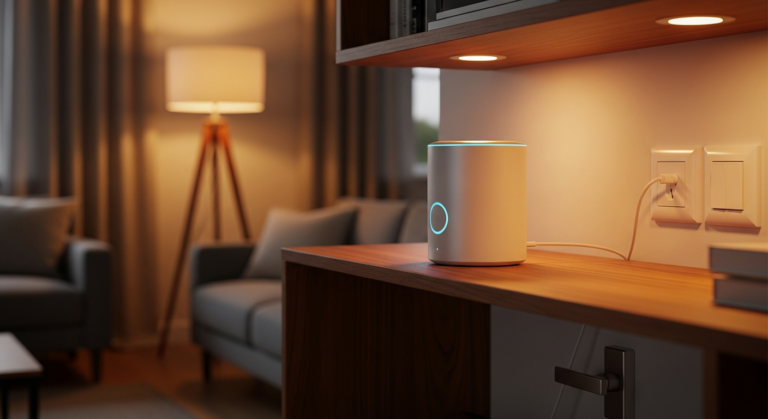
At just $50,, the Echo Dot is your smart home control center. It works with virtually every device on this list, runs local routines without internet (for some commands), and the 5th gen model now even includes a built-in temperature sensor. Plug it in, connect it to your Wi-Fi, and it’s your voice control hub for everything else. Easy as pie.
Verdict: The practical starting point for any renter building a smart home setup.
7. Kasa Smart Plug Mini – Best Budget Automation
Transform any dumb appliance into a smart one for just $15. Coffee maker, floor lamp, fan – you can schedule them, control them remotely, or tie them into Alexa/Google Home routines. These are the most low-risk, high-payoff smart home upgrade available. Honestly, just get two or three.
Verdict: Buy in a 4-pack. They’re the easiest upgrade on this list with zero lease concerns.
Installation Tips for Renters
Before you start, you absolutely need to read your lease. Look for clauses about “modifications,” “alterations,” or “fixture changes.” If anything is unclear, send your landlord a quick message describing what you plan to install. Most will approve anything that’s easily removable.
For locks specifically: check your state’s tenant-landlord laws on lock changes. In Florida and several other states, written landlord consent is required. A retrofit lock like SwitchBot doesn’t technically replace the lock – it just augments the interior – which often falls outside these restrictions, but always confirm before installing. Better safe than sorry!
When you move out: Factory reset every device. Remove all accounts. Take photos of what you’re taking versus what came with the apartment. For thermostats, reinstall the original unit and store your Nest safely in its box.
On shared building Wi-Fi: If your building provides internet and you don’t have router access, standard 2.4GHz/5GHz tweaks won’t be available. Focus on Bluetooth-primary devices (like the SwitchBot lock), Matter-over-Thread devices (IKEA smart lighting with a Dirigera hub), or devices with their own local mesh networks. These work independently of your building’s router configuration, which is super handy.
Budget vs. Premium Renter Setups
Starter Kit – Under $150
- Govee WiFi Water Sensor: $31
- Kasa Smart Plug Mini (4-pack): $25
- Amazon Echo Dot: $50
- 2x IKEA smart bulbs: $20
Total: ~$126 – This covers the essentials: damage protection, automation, voice control, and basic lighting. What more could you ask for?
Full Setup – Under $400
- Everything in starter kit: $126
- SwitchBot Smart Lock + Hub Mini: $90
- Arlo Essential Indoor Camera: $80
- Philips Hue Starter Kit (2 bulbs + bridge): $80
Total: ~$376 – This gives you a complete smart home with security, voice control, lighting, a lock, and critical damage protection.
When to Upgrade to Premium
Premium options really make sense when you’re planning to stay in your rental for 2+ years or when you plan to take the setup to your next home. Philips Hue definitely outperforms IKEA over time in reliability and ecosystem depth. A Nest thermostat pays back its cost in energy savings within 12-18 months in most climates, which is a pretty quick return on investment.
Frequently Asked Questions
Can renters install smart home devices without voiding their lease?
Yes, most smart home devices are actually designed to be removable. Devices like smart plugs, smart bulbs, and retrofit smart locks (like the SwitchBot Smart Lock) require no drilling or permanent modifications, making them safe for rentals. However, always check your lease before installing thermostats or any device that requires wiring.
What is the most important smart home device for renters?
A water leak sensor is arguably the most important device for any renter. Water damage is the most common home insurance claim in the US, averaging over $10,000 per incident. A $30 sensor under your washing machine or near your water heater can prevent catastrophic liability that extends beyond your own unit. It’s truly a no-brainer.
Do smart home devices work with building-provided internet?
Some do, some don’t. If your building provides shared internet and you don’t have access to the router, look for devices that work over Bluetooth or use Matter-over-Thread (like some IKEA and Eve products). These create their own local mesh network and don’t need traditional router access, which is a lifesaver in those situations.
Can I take my smart home devices when I move?
Yes – that’s one of the biggest advantages of renter-friendly smart devices! Smart bulbs, plugs, sensors, and retrofit locks all pack up easily. When you move, just reset each device to factory settings, remove any landlord-accessible accounts, and re-pair them in your new home. It’s that simple.
How do I set up smart home devices if I have roommates?
Use the built-in guest access or multi-user features in apps like Google Home, Amazon Alexa, or SwitchBot. Create separate profiles so each roommate has limited access. For smart locks, assign individual digital keys and revoke access immediately when a roommate moves out – this is one of the real advantages of a smart lock over a physical key that may have been copied. It gives you so much more control.
Final Recommendation
If you’re a renter starting from scratch in 2026, buy the Govee water sensor first – always. Then add the Kasa smart plugs and an Echo Dot. That $126 foundation covers damage protection and basic automation without any lease risk at all. It’s a fantastic starting point.
From there, the SwitchBot Smart Lock is the most meaningful upgrade: it changes how you experience your front door every single day, costs $65,, and leaves zero trace when you move out. Add smart lighting last, starting with IKEA if you’re on a budget, or Philips Hue if you want something that’ll serve you across several homes.
The smart thermostat guide is definitely worth pursuing – just ask your landlord first. Frame it as a shared benefit (lower heating bills, property value). Most will say yes. In my experience, showing them the numbers helps a lot.
The goal here is a smart home that works for your life right now, without locking you into a space you don’t own. Everything on this list puts you in control: you can take it all with you when you move. How great is that?
Sources
- Insurance Information Institute – Homeowners and Renters Insurance Claims Data, 2025
- CNET – “Best Smart Locks for Renters 2026,” Tyler Lacoma
- T3 – “Best Smart Thermostat for Renters,” Lizzie Wilmot, 2026
- PCMag – “The Best Smart Home Products for Renters in 2026”
- Florida Statute §83.67 – Tenant Remedies; Landlord Restrictions on Locks
About the Author
Marcus Webb is a home improvement writer and DIY enthusiast who has rented apartments in four cities over the past decade. He tests smart home devices in real rental scenarios – no drilling, no landlord headaches – and writes about what actually works for people who don’t own their walls. You can find more of his guides at 4casahome.com/author/marcus-webb/.
Related reading
Get the 4casahome digest
Honest reviews and no-hype guides — straight to your inbox. No spam, unsubscribe anytime.
Some links in our articles are affiliate links. See our full Affiliate Disclosure for details.
Related Articles

Written and tested by our editorial team
4CasaHome Editorial Team
Interior Design & Smart Home Experts
All product reviews are based on hands-on testing in real home environments. Smart home content is verified by our CEDIA-certified integrator. Meet our team.