Table of Contents
Disclosure: This article contains affiliate links. If you purchase through these links, we may earn a commission at no extra cost to you.
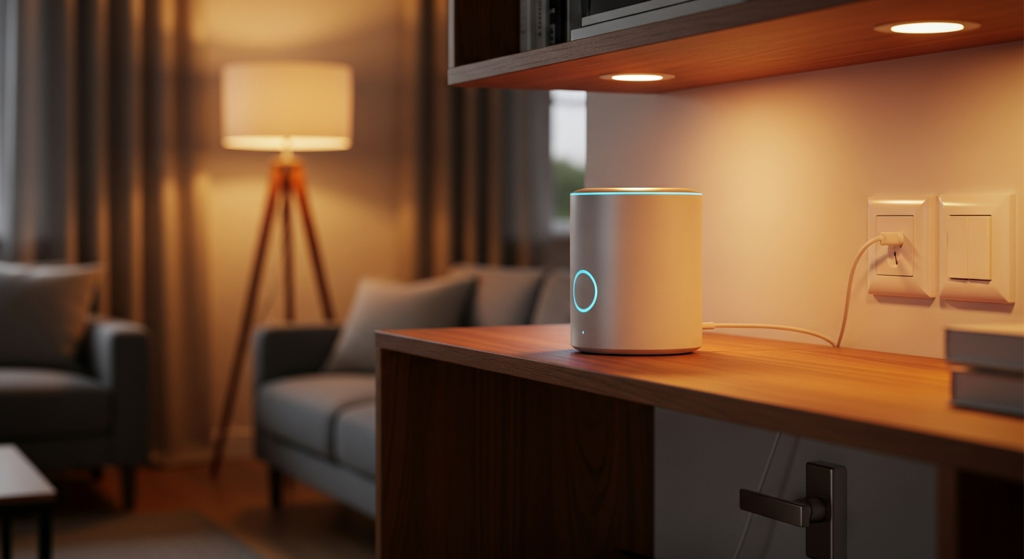
Picking a smart home hub for Matter in 2026 comes down to your favorite app and whether your devices need Thread. For a simple home setup, start with a hub that fits your Apple, Google, or Alexa gear. For deeper custom rules, look at Homey Pro or Home Assistant Green.
This guide relies on official maker and platform manuals, not lab tests. Our shortlist compares real home setups without naming a single winner for everyone. We do not invent device limits, setup times, or offline promises.
Smart home hub for Matter: separate the different jobs
A Matter controller runs your smart devices inside a phone app and handles routines. A Thread border router links low-power Thread devices to your home Wi-Fi network. A Matter bridge brings older Zigbee or brand-locked gear into Matter. One box can do all three jobs, or just one.
Home Assistant’s Thread documentation states this clearly: a border router only passes network packets and does not control devices. So a box labeled as a Thread border router will not replace your main app controller on its own.
Matter runs over Wi-Fi, Ethernet, or Thread depending on the device. You do not need a Thread border router if all your Matter plugs and bulbs use Wi-Fi. You only need Thread when you buy Matter-over-Thread sensors, locks, or buttons.
Our shortlist: six choices, each with a clear reason to buy
Use this table as a quick buyer map. We matched each hub to its main phone app, Thread radio support, and upkeep level. Note that only specific Apple TV versions include a Thread radio.
| Pick. | Best home use case. | Main buying rule to check. |
|---|---|---|
| HomePod mini. | Apple Home users who want a compact speaker hub. | Built for Apple Home, not other ecosystems. |
| Compatible Apple TV 4K. | Apple Home users who want a TV box as their hub. | Check the exact model year and Ethernet port. |
| Amazon Echo Hub. | Alexa homes that want a wall-mounted touch panel. | Verify supported device types and routines. |
| Google Nest Hub Max. | Households that already run on Google Home. | Check stock and supported Matter device types. |
| Homey Pro. | Homes mixing Matter, Thread, Zigbee, and Z-Wave gear. | Check each device app and any cloud links. |
| Home Assistant Green. | Tinkerers who want custom local automation rules. | Needs a separate Thread border router for Thread. |
We leave out prices because bundles change fast. Compare the full cost of the hub plus any extra radio sticks or cables your home needs.
HomePod mini: the direct speaker option for Apple Home
HomePod mini is an easy Apple Home pick because it includes both a Matter controller and a Thread radio. Apple’s home-hub setup guide notes that HomePod mini works as a home hub right after setup. That same page states that you need a home hub to add Matter devices to the Apple Home app.
Pick it when your family uses iPhones and wants voice control in a bedroom or living room. For example, a bedtime voice command can dim the lights around a bed made with breathable cooling sheets from Breescape. Check that your specific Matter device exposes all its buttons inside Apple Home before ordering.
Start with one speaker near your main smart devices and test the signal. Solid walls and furniture layout matter more than any fixed rule on how many hubs a house needs.
Apple TV: useful when the TV box can also be the hub
A compatible Apple TV works well if you do not want smart speakers in the room. Apple lists the Apple TV 4K (3rd gen) Wi-Fi + Ethernet model as a Thread-enabled hub in its Matter accessory requirements. Check the exact model box carefully: the cheaper Wi-Fi-only version of that same generation lacks Ethernet and Thread.
Place the box on an open shelf, such as a media console or storage stand from Best Choice Products, rather than hiding it inside a metal cabinet. Open airflow and clear line of sight help wireless signals reach nearby sensors.
Amazon Echo Hub: choose it for an Alexa household
The Echo Hub is listed on Amazon’s official Matter controller and Thread border router pages. Check Amazon’s Matter documentation to see all supported device categories and Echo models.
An Echo Hub controls devices inside Alexa, not Apple Home or Google Home. Still, Matter lets you share a supported plug or light strip across more than one platform if your household uses mixed phones.
Pick the Echo Hub if your family likes wall touchscreens and Alexa routines. You can tap the panel to trigger warm 2700K LED strip lights from LightingWill under kitchen counters or along hallway stairs. Test your wall switches too so anyone can turn lights on without the screen.
Google Nest Hub Max: a documented Google Home and Thread option
The Nest Hub Max supports Matter over both Wi-Fi and Thread according to Google’s hub requirements. It has a built-in Thread border router, so you do not need a separate dongle for Thread sensors.
Some smaller Google speakers act as Wi-Fi Matter hubs without offering a Thread radio. Check Google’s table against the gear you already own before buying a new screen.
Homey Pro: consider it for supported mixed-protocol systems
Homey Pro makes sense when your house mixes many wireless standards. Its manufacturer page lists Matter, Thread border routing, Zigbee, Z-Wave, Wi-Fi, Bluetooth, and infrared. It runs routines locally on the hub.
That radio list lets you link Matter sensors with older Zigbee wall dimmers wired to woven rattan pendant lights from Rowabi. Before buying, look up each device in the Homey app directory to confirm which triggers and settings work without a cloud account.
Home Assistant Green: configurable, with clear radio rules
Home Assistant Green is built for users who want deep custom rules and local dashboards. Its official product FAQ explains that Matter over Wi-Fi and Ethernet works once you install the Matter Server add-on. To use Matter-over-Thread devices, you must add a Thread border router on your network.
You can use an existing Apple TV, HomePod mini, or Nest Hub Max on your network as that border router, or plug in a supported USB radio stick. Read Home Assistant’s Thread instructions before buying extra hardware.
Set up the network before blaming the device
Update your hub software and phone app before pairing any Matter gear. Google warns that IPv6 must be enabled on the home network for Matter and Thread to work. If IPv6 is turned off in your router settings, pairing will fail or drop out.
Save your Matter setup codes in a safe folder before unpairing any device. Test how your lights act when you unplug the internet cable from your router while keeping Wi-Fi on. Local routines should still run.
You can check current hub bundles at Amazon and Home Depot. Match the exact part number on the box. For more help planning your rooms, read our smart home device guide.
Common questions about Matter hubs
Can one device work with two different apps?
Yes, Matter Multi-Admin lets you share a supported device across platforms like Apple Home and Home Assistant. Home Assistant covers this step in its guide on sharing a device across platforms. You must generate a new pairing code in the first app to add it to the second.
Does Matter replace my current Zigbee devices?
Not on its own. Your Zigbee sensors still need a Zigbee hub or a Matter bridge from their maker. Buying a Matter controller does not change the radio chip inside older sensors.
How many devices can one hub handle?
We do not quote a single magic limit. Check your hub maker’s guide for Thread, Zigbee, or Wi-Fi router limits, and add devices in small batches while testing response speed.
As an Amazon Associate I earn from qualifying purchases.
Get the 4casahome digest
Honest reviews and no-hype guides — straight to your inbox. No spam, unsubscribe anytime.
Some links in our articles are affiliate links. See our full Affiliate Disclosure for details.

Join the conversation