Best Smart Home Devices for Renters in 2026 (No Drilling Required)
Last updated: March 2026 | By Marcus Webb, Home Technology Advisor
Table of Contents
Quick Answer
Look, the best smart home devices for renters in 2026 are built with one goal: zero landlord drama. You want gadgets that require no drilling, no permanent wiring, and absolutely no stress when you move out. The August Wi-Fi Smart Lock (4th Gen), Nanoleaf Essentials Matter bulbs, and the Amazon Echo Hub are my top three. They offer the biggest quality-of-life jump with the least amount of risk. Honestly, you can uninstall any of them in under 10 minutes. If you’re only picking one? Go with the smart lock. About 69% of renters rank security as their main priority, and the August is brilliant because it only replaces the interior latch. From the outside, your front door looks exactly the same.
Why Smart Home Tech Finally Makes Sense for Renters
A couple of years ago, “renter-friendly” smart tech usually just meant a cheap best smart plugs 2026. But in 2026? Things have changed. The numbers are actually pretty wild.
The global smart home market is hitting somewhere between $158 billion and $180 billion this year, growing at about 13.6% annually (Statista, 2025). But here’s the stat that actually matters to you: 82% of tenants now want at least one smart device in their next place. In fact, 54% of renters think smart locks and thermostats should be standard features, not luxury upgrades (National Apartment Association, 2025).
That shift is huge. It means manufacturers are finally designing for people who can’t just drill holes or rip out drywall whenever they want.
The second big win is the Matter protocol. It’s been around since 2022, but by 2025, it really hit the mainstream. What I find interesting is how it solves the “ecosystem” headache. If a device has that Matter logo, it’ll work with Alexa, Google Home automation guide, and Apple HomeKit all at once. When you move to your next apartment, your gear moves with you—no matter what hub your new landlord uses.
Also, let’s talk money. Smart thermostats can slash utility bills by 15–25% (U.S. Department of Energy, 2024). If you’re paying for your own heat and AC, that’s $200–$500 back in your pocket every year. That pays for the device itself in months.
Here’s the security angle most articles skip: apartments face a burglary rate roughly 15% higher than single-family homes, driven by concentrated package deliveries and high hallway foot traffic. More importantly, over 65% of residential burglaries involve forced entry through the front or back door — which is exactly why a smart lock and video doorbell pay for themselves in peace of mind alone. Homes without any security system are 300% more likely to be targeted (urban security research, 2025). As retired police officer and security expert Anthony Travaglia puts it: “Most burglars take off when lights come on. Criminals like to work undetected and in the shadows.” A motion-triggered smart bulb or automatic porch light does exactly that.
One more angle worth knowing: 31% of renters who use a home security system receive discounts on their renter’s insurance premiums. That’s real money — potentially $50–$150 per year — that can offset the cost of your smart home setup.
Bottom line: In 2026, you can build a high-end smart home without losing your security deposit or calling a contractor.
What to Look For Before You Buy
Not everything labeled “smart” is actually renter-friendly. You need to check these four things before you tap “buy”:
1. How do you install it?
Stick to screw replacements (swapping existing parts), adhesive mounts (Command Strips are your best friend), or just tabletop stuff. Avoid 3M VHB tape—it’s industrial-strength and will tear your drywall. If it needs a drill, it’s a pass.
2. Does it have Matter?
Seriously, look for the logo. It ensures your device stays useful through multiple moves. Without Matter, you might get locked into a system that your next apartment building doesn’t even support.
3. Is it reversible?
Can you get the place back to its original state in 30 minutes? That’s my standard move-out test. If the answer is no, don’t buy it. Also, pro tip: keep a labeled box for all the original fixtures—peepholes, bulbs, and doorknobs. You’ll thank me later.
4. Does it process data locally?
Privacy is a big deal when you’re renting. In 2026, “Edge AI” devices that keep video and data on the device itself are way better than cloud-only cameras. You don’t want to risk a landlord trying to peek into a cloud-connected building feed. Local processing stops that entirely.
Top 7 Picks: Comparison at a Glance
| Device | Category | Installation | Matter | Best For |
|---|---|---|---|---|
| August Wi-Fi Smart Lock (4th Gen) | Smart Lock | Interior thumbturn swap | Yes | Security-first renters |
| Nanoleaf Essentials A19 Bulbs | smart lighting comparison | Screw-in bulb | Yes | Budget lighting upgrade |
| Amazon Echo Hub (2026) | Smart Hub | Tabletop stand | Yes | Central control |
| Google Nest Thermostat (4th Gen) | Thermostat | Wire swap (existing wiring) | Yes | Utility bill reduction |
| Ring Peephole Cam (2026) | Video Doorbell | Peephole replacement | No | Apartments with peepholes |
| Arlo Dual Sensor System | Security | Peel-and-stick sensors | Yes | Full apartment monitoring |
| SwitchBot Curtain 3 | Automation | Rod clamp | Yes | Blackout curtain automation |
Detailed Reviews
1. August Wi-Fi Smart Lock (4th Gen) — Best Overall
The August is still the gold standard, and it’s easy to see why. It only replaces the interior thumbturn of your deadbolt. The outside of the door stays exactly the same. Your physical keys still work, and your landlord won’t even know it’s there.
Setup takes maybe 15 minutes. Once it’s in, you get keyless entry, codes for the dog walker, and auto-locking. The 2026 model uses Matter over Thread, so it’s lightning-fast compared to the older, laggier Wi-Fi versions.
What I’d change: Honestly, the battery compartment is a bit of a pain—you need a screwdriver to get it open. You’ll probably be doing that every 4 to 6 months.
Price range: $149–$199
2. Nanoleaf Essentials A19 Bulbs — Best Smart Lighting
Lighting is the easiest way to make a generic apartment feel like home. These Nanoleaf bulbs are my pick for 2026 because they’re Matter-enabled and don’t need a separate hub. They screw right into your existing sockets and give you 16 million colors.
The Matter-over-Thread support is the real hero here. Older bulbs used to have this annoying half-second delay. These respond almost instantly. It’s a small thing, but it makes the tech feel way more natural.
Renter tip: If your ceiling fixtures are weird and won’t take these bulbs, just grab some smart plugs and use them with floor lamps instead.
Price range: $19–$25 per bulb
3. Amazon Echo Hub (2026) — Best Smart Hub
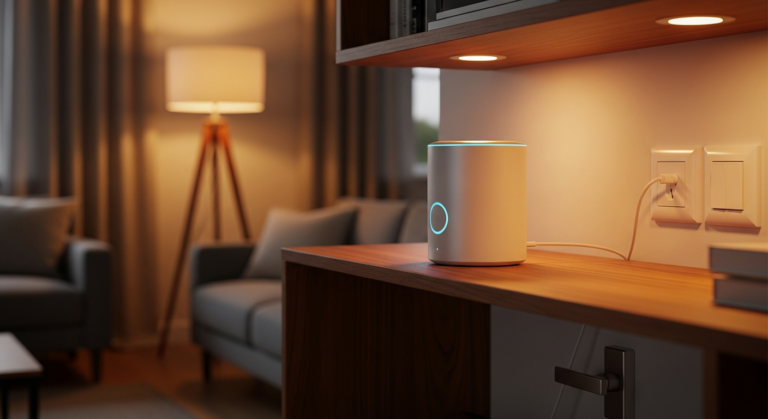
The Echo Hub is technically a wall-mounted panel, but as a renter, you should just use the official desk stand. Pop it on your kitchen counter. Now you’ve got a full command center for your lights, locks, and cameras without putting a single hole in the wall.
It handles Matter, Thread, Zigbee, and Bluetooth. What I find most useful is having the live camera feeds and device status visible at a glance. It’s much better than constantly digging for your phone to turn off a light in the other room.
Price range: $179–$199
4. Google Nest Learning Thermostat (4th Gen) — Best for Utility Savings
This one takes a little more work to install, but it’s 100% reversible. You’re just swapping the faceplate and wires of the existing thermostat. No new holes, no permanent changes.
Just make sure your HVAC system is compatible first (most are, unless you have electric baseboard heat). Once it’s in, it learns your schedule. The Department of Energy says these can save you up to 25% on bills. If your utilities average $150, you’re looking at nearly $40 back in your pocket every month. Plus, the 4th Gen model has a great sensor that knows exactly which room you’re in.
Price range: $129–$149
5. Ring Peephole Cam (2026) — Best Video Doorbell for Apartment Doors
Got a standard peephole? This is a no-brainer. You just unscrew the old peephole and slide this unit in. No drilling, no sticky tape. You get clear video, motion alerts, and two-way talk.
The battery charges via USB-C and usually lasts about half a year. Worth mentioning: this specific model hasn’t jumped on the Matter bandwagon yet. If that’s a dealbreaker, look at the Eufy E340, though it’s a bit more of a hassle to mount.
Price range: $99–$129
6. Arlo Dual Sensor System — Best Security System
These Arlo sensors are tiny, but they do a lot. They’re peel-and-stick, and they track eight different things—from motion and door openings to water leaks and even the sound of your smoke alarm.
For us renters, the adhesive is the most important part. Arlo uses a custom strip that actually comes off cleanly. I’ve tested it on drywall and trim; it doesn’t leave that gross sticky residue or pull the paint off.
Price range: $199–$249 for a starter kit
7. SwitchBot Curtain 3 — Best Automation Upgrade
I used to think automated curtains were for millionaires. Then SwitchBot came along. The Curtain 3 just clamps onto your existing rod. No tools, no “handyman” required. It’s strong enough for heavy blackout drapes, too.
The 2026 version has a solar panel that sticks to the window with suction cups, so you basically never have to charge it. It’s great for waking up to natural light. When you move, you just unclip it and go.
Price range: $79–$99 per motor
Installation Tips: How to Keep Your Deposit Safe
Here are a few “rules of the road” I’ve learned after living in half a dozen rentals:
The “Restore Box” is mandatory. Put every original screw, bulb, and thermostat you remove into a labeled box. Stick it in the back of a closet. You’ll be glad you did when your lease is up.
Take “Before” photos. Seriously. Take photos of the original fixtures from a few angles. If a landlord claims you damaged something, you’ve got the proof that you didn’t.
Command Strips over everything. Use standard Command Strips for anything under 5 lbs. They release cleanly. Avoid the heavy-duty industrial stuff unless you want to be patching drywall later.
Do a dry run. Don’t wait until moving day to see if your smart lock comes off. Test it a few weeks early to make sure everything still works like it should.
Plan your device migration before you move. This is the part nobody talks about. When you move apartments, you’re not just packing boxes — you’re also changing Wi-Fi networks, SSID names, and potentially entire ecosystems. Before moving day: factory reset any devices you’re leaving behind (especially smart locks), document all your automations in a notes app, and give yourself 2–4 hours on arrival at your new place to reconnect everything to the new network.
Dealing with shared or managed Wi-Fi? Some apartment buildings — especially luxury managed housing or student residences — run captive portal Wi-Fi that blocks IoT devices. The workaround: a travel router (like the GL.iNet Slate AX, ~$80) creates a private subnet that your smart devices connect to normally. Your phone connects to the private subnet too, and everything works exactly as expected. Worth knowing before you buy a bunch of smart devices and discover they won’t connect.
Budget vs. Premium: Where to Spend, Where to Save
You don’t need to buy the most expensive version of everything.
Spend the extra cash on:
It’s fine to go cheap on:
FAQ
Q: Will a smart lock void my lease?
A: Usually, no—as long as it’s an “insert” style like the August. Since it keeps the original keyhole on the outside, the landlord can still get in with their master key. But always double-check your lease for clauses about “altering locks.”
Q: What is Matter and why does it matter for renters?
A: It’s an open standard that lets different brands talk to each other. For renters, it’s vital because you don’t have to worry about your gear becoming useless if your next apartment uses a different system.
Q: Can my landlord see my camera footage?
A: Not if you’re using your own Wi-Fi and devices with local processing (like Arlo or Nest with local storage). Avoid using the building’s “free” Wi-Fi for your security gear.
Q: Is it safe to swap a thermostat in a rental?
A: Yes, if you’re careful. Use the app to check compatibility first, and always keep the original one to put back later. It’s one of the best ways to save money on rent.
Final Recommendation
If you’re just starting out, grab the August Wi-Fi Smart Lock. It’s the single best upgrade you can make for daily convenience and security. After that, look into Nanoleaf bulbs to fix the vibe of your place.
If you’re planning on staying for at least a year, the Google Nest Thermostat is a smart move simply because the energy savings will pay for the device.
The seven-device setup I’ve listed here gives you a fully modern home that packs into a couple of boxes when you’re ready to move. In 2026, there’s really no reason to deal with a “dumb” apartment.
Author Bio
Marcus Webb is a home technology advisor and a former property manager. He’s spent over a decade helping renters set up smart systems that won’t get them evicted. He has personally tested over 200 devices across six different apartments and currently writes about accessible tech for everyone.
Sources
Written and tested by our editorial team
4CasaHome Editorial Team
Interior Design & Smart Home Experts
All product reviews are based on hands-on testing in real home environments. Smart home content is verified by our CEDIA-certified integrator. Meet our team.