
Table of Contents
Disclosure: This article contains affiliate links. If you purchase through these links, we may earn a commission at no extra cost to you.
You can automate most daily home tasks for under $300 in 2026 using a smart speaker you already own, $8 smart plugs, $10 smart bulbs, and $18 door or motion sensors. You do not need an electrician, monthly fees, or landlord approval. A single weekend afternoon is enough to set up schedules and sensor routines.
Editorial note: This guide is based on manufacturer specifications and public documentation rather than in-house lab measurements.
Related guides: Amazon Echo vs Google Nest vs Apple HomePod | Best Smart Water Leak Detectors for 2026 | Best Alexa Smart Home Starter Kit for Beginners | Best Smart Home Devices Under $100 in 2026.
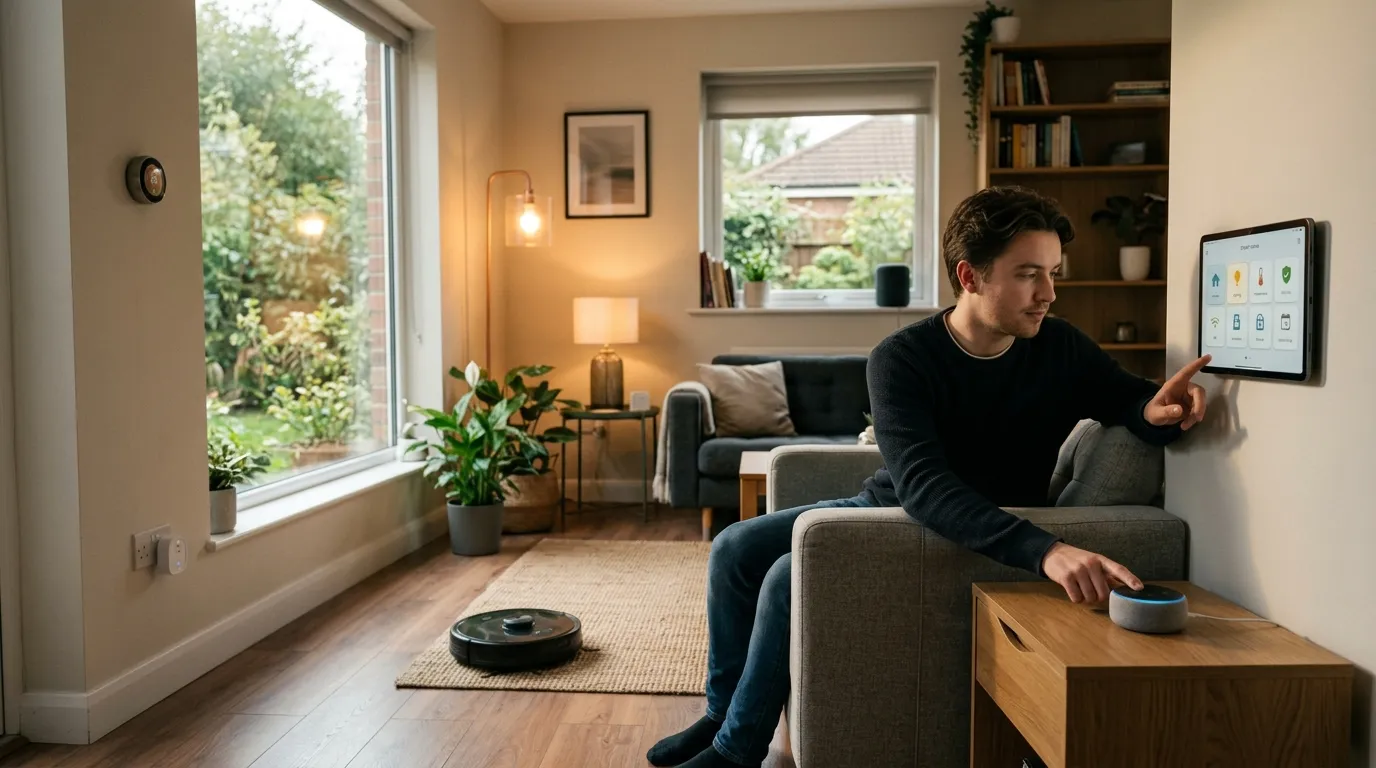
How Can You Automate Your Home on a Budget?
- Start with the voice hub you already own, such as Amazon Echo, Google Nest, or Apple HomePod mini.
- Add $8 Kasa or $12 Tapo smart plugs to floor lamps, fans, and coffee makers.
- Replace key bulbs with $10 WiZ or $15 Philips Hue White smart bulbs.
- Place $18 Aqara door or motion sensors in hallways to trigger lights automatically.
- Build free routines inside the Alexa, Google Home, or Apple Home app with zero monthly fees.
- Total starter cost: $50 to $100.
Table of Contents
- Why Is Budget Home Automation Different in 2026?
- Step 1: Which Hub Should You Use First?
- Step 2: What Can Smart Plugs Automate?
- Step 3: How Do You Upgrade Lights Without Rewiring?
- Step 4: Which Sensors Do You Need First?
- Step 5: How Do You Build Routines That Run Themselves?
- Step 6: How Do You Add Voice Control Without Overspending?
- Step 7: How Do You Scale Without Wasting Money?
- Budget Tier Breakdown.
- Cost Breakdown Tables.
- What Should You Skip as a Beginner?
- FAQ.
Why Is Budget Home Automation Different in 2026?
Walking through your front door while the lights turn on and the thermostat adjusts used to require expensive custom wiring. Today, you can build the same daily routines for under $300 over standard home Wi-Fi.
The Matter standard from the Connectivity Standards Alliance lets certified plugs, bulbs, and sensors work across Apple Home, Amazon Alexa, Google Home, and Samsung SmartThings. You do not need to buy a $200 wall dimmer when a $10 WiZ smart bulb or an $8 Kasa plug handles the same schedule.
Step 1: Which Hub Should You Use First?
Many beginners buy a dedicated hub when they already have one sitting on the counter. An Amazon Echo, Google Nest Mini, or Apple HomePod mini already connects devices and runs routines through its free phone app.
| Hub System. | Phone App. | Best Strength. | App Cost. |
|---|---|---|---|
| Amazon Alexa. | Alexa app. | Flexible routines and wide budget device support. | Free. |
| Google Home. | Google Home app. | Easy setup and Google Calendar integration. | Free. |
| Apple Home. | Apple Home app. | Local processing and strong Matter support. | Free. |
| Samsung SmartThings. | SmartThings app. | Multi-brand rules and appliance alerts. | Free. |
If you do not own a smart speaker yet, a compact Echo Dot or Google Nest Mini costs around $30 to $40. Place your speaker on an open shelf or wooden side table from Best Choice Products (check home stands and storage) so the microphones can hear commands clearly.
Step 2: What Can Smart Plugs Automate?
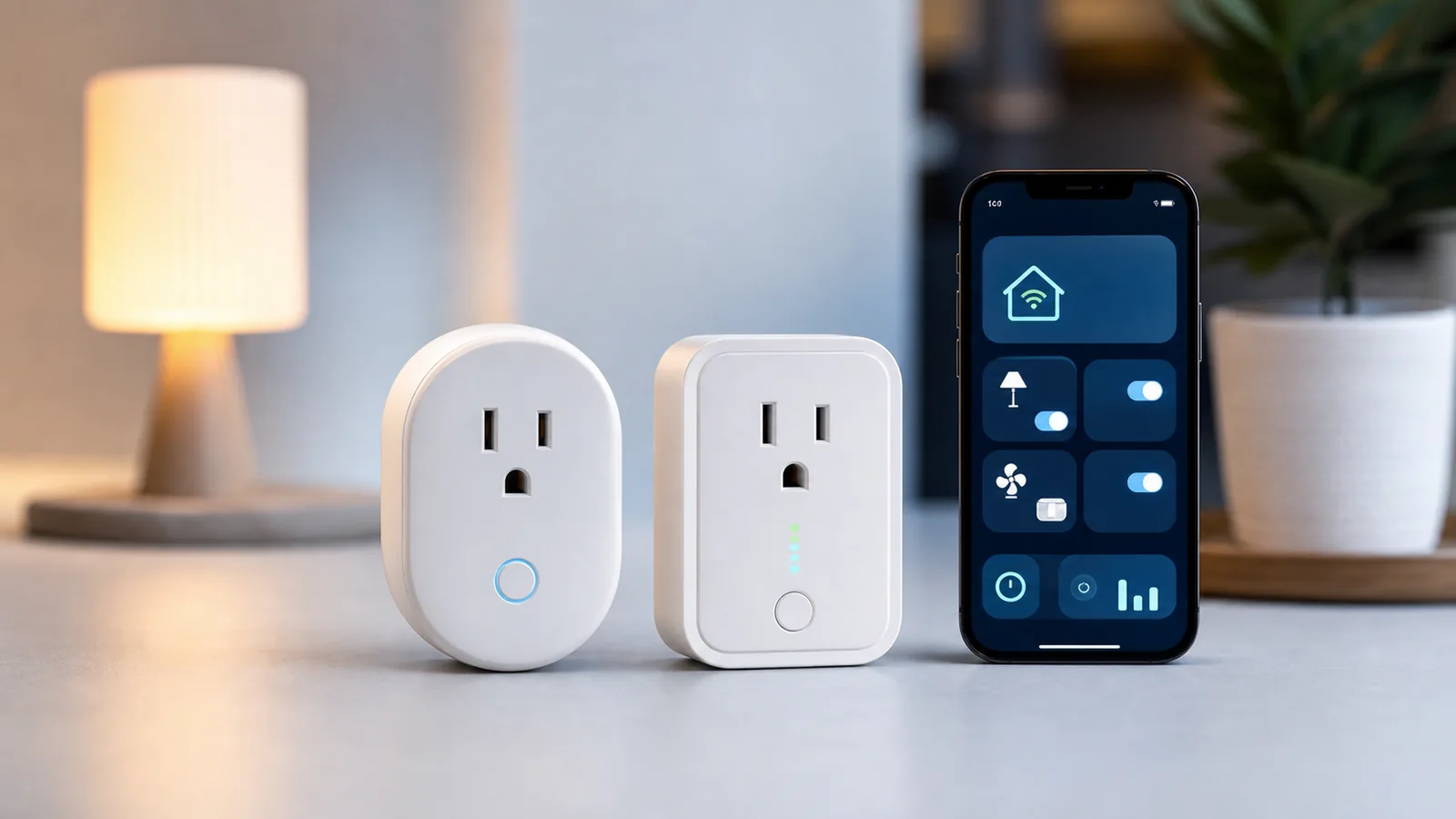
Smart plugs turn any basic lamp, fan, or coffee maker with a physical on/off switch into a scheduled device. Plug it into the wall outlet, connect it to 2.4 GHz Wi-Fi, and set timers on your phone.
- Kasa EP10 Smart Plug ($8 at kasasmart.com): Works with Alexa and Google Home over Wi-Fi with no hub. The compact shell still blocks some tight duplex outlets.
- Tapo P115 Mini Smart Plug ($12 at tp-link.com): Supports Matter and tracks power usage in the app.
Five high-value ways to use smart plugs first:
- Living room floor lamp: Turn on at sunset and turn off at 11:00 PM.
- Drip coffee maker: Switch on at 7:00 AM on weekdays.
- Box fan or humidifier: Run on a timer when bedroom air feels dry.
- Phone and tablet charging bar: Shut off after two hours overnight.
- Window or porch string lights: Run on an automatic evening schedule.
Step 3: How Do You Upgrade Lights Without Rewiring?
Renters and beginners should start with screw-in E26 smart bulbs rather than hardwired wall switches. Smart bulbs install in two minutes with zero electrical work.
| Bulb Model. | Typical Price. | Main Advantage. | Main Limitation. |
|---|---|---|---|
| WiZ A19 White. | $10 per bulb. | Direct Wi-Fi, no hub needed. | Uses 2.4 GHz Wi-Fi. |
| Philips Hue White. | $15 per bulb. | Reliable dimming and Matter support via bridge. | Needs Hue Bridge for full remote features. |
| Govee Smart Bulb. | $8 per bulb. | Low cost with color options. | App interface feels crowded. |
| Sengled Element. | $9 per bulb. | Low power draw with Zigbee hubs. | Requires a compatible hub. |
Keep the physical wall switch flipped ON so your smart bulbs stay connected to power. For warm accent light under cabinets or behind a TV stand, pair a smart plug with 2700K LED strip channels from LightingWill (view warm LED strip kits). In dining areas, screw a warm smart bulb inside a woven shade from Rowabi (explore rattan pendant lights).
Step 4: Which Sensors Do You Need First?
Contact and motion sensors trigger lights and alerts automatically when someone opens a door or walks down a hall. Combine sensor schedules with U.S. Department of Energy home tips and EPA indoor air quality guidance to keep rooms comfortable.
- Aqara Door and Window Sensor ($18 at aqara.com): Turns on entry lights when the front door opens. Requires an Aqara hub ($30) for full Zigbee and Matter features.
- Wyze Motion Sensor ($25 for a 2-pack at wyze.com): Turns on hallway or kitchen lights when you walk in and shuts them off after 30 minutes of no motion.
- Wyze Cam v4 ($36 at wyze.com): Records 2.5K video clips to a microSD card with no mandatory monthly fee, or adds cloud plans starting at $1.99 per month.
Step 5: How Do You Build Routines That Run Themselves?
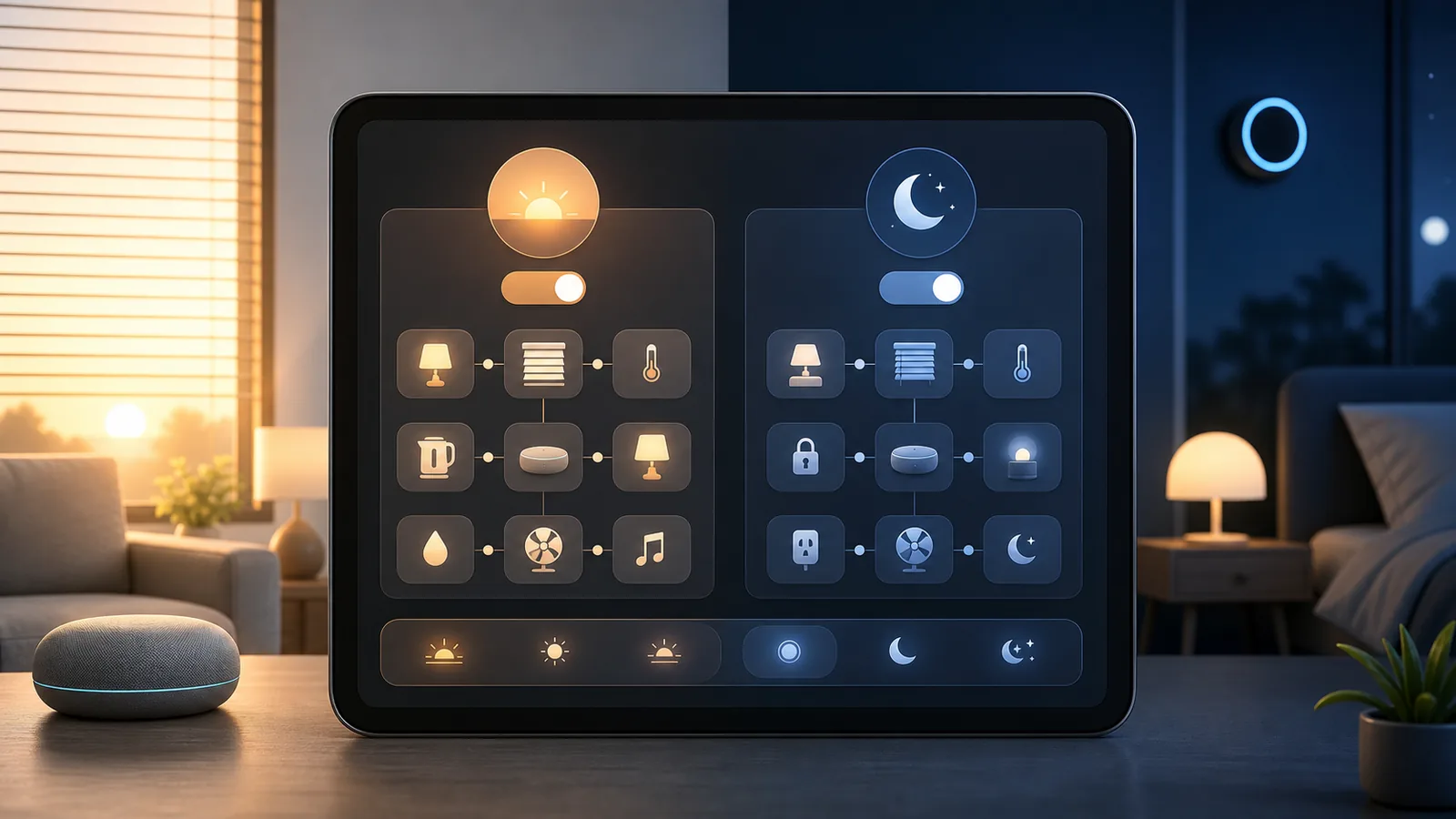
A routine links a trigger (a clock time, door sensor, or voice phrase) to multiple device actions inside your free app. Start with these five daily routines:
- Good Morning (7:00 AM weekdays): Bring bedroom bulb to 30 percent brightness and switch on the coffee maker plug.
- Welcome Home (front door opens after 5:00 PM): Turn on living room lamps and entry lights.
- Goodnight (“Alexa, goodnight” or 11:00 PM): Turn off all living room lights and smart plugs.
- Away Mode (phone leaves home): Shut off lamps and fans, and enable camera motion alerts.
- Movie Time (voice command): Dim living room bulbs to 20 percent and turn on bias LED strips.
Step 6: How Do You Add Voice Control Without Overspending?
You do not need a smart speaker in every room. One central speaker in the living room plus your smartphone app covers a 1,000-square-foot apartment. Add a second $30 to $40 mini speaker in the bedroom only if you want voice alarms at night.
Step 7: How Do You Scale Without Wasting Money?
Live with your starter setup for two weeks before buying more hardware. Only add a new device when you can name the exact trigger and action it will run:
- Under $100 extra: Add a smart thermostat ($60 Wyze Thermostat) or two more smart plugs ($16).
- Under $200 extra: Add a retrofit smart lock ($100 Level Bolt) that fits inside your existing deadbolt.
- Under $300 extra: Add $10 water leak detectors under the kitchen sink and near the water heater.
Budget Tier Breakdown
Tier 1: Starter Setup ($82 to $100)
Use your existing speaker ($0), 3 Kasa smart plugs ($24), 4 WiZ smart bulbs ($40), and 1 Aqara door sensor ($18). Setup takes about two hours.
Tier 2: Mid Setup ($249 to $300)
Include Tier 1 ($82), a Wyze motion sensor 2-pack ($25), a Wyze Cam v4 ($36), a Wyze Thermostat ($60), 2 extra plugs ($16), and an Aqara M2 hub ($30).
Tier 3: Full Setup ($450 to $500)
Add a Level Lock Bolt ($100), a video doorbell ($50), and an entry robot vacuum ($199) for scheduled floor cleaning.
Cost Breakdown Tables
| Category. | Budget Pick. | Mid-Tier Pick. | Monthly Fee. |
|---|---|---|---|
| Voice Hub. | Existing phone or $35 mini speaker. | $60 smart display. | $0. |
| Smart Plugs. | $8 Kasa EP10. | $12 Tapo P115 Matter. | $0. |
| Smart Bulbs. | $10 WiZ A19 White. | $15 Philips Hue White. | $0. |
| Motion Sensor. | $25 Wyze 2-pack. | $60 Aqara FP2. | $0. |
| Door Sensor. | $18 Aqara contact sensor. | $35 Eve Door & Window. | $0. |
| Indoor Camera. | $36 Wyze Cam v4 (SD card). | $50 Blink Indoor. | $0 to $3.99. |
| Thermostat. | $60 Wyze Thermostat. | $189 Ecobee Smart. | $0. |
What Should You Skip as a Beginner?
- Custom $500 installer hubs: Stick to free Alexa, Google Home, or Apple Home apps.
- Hardwired switches in a rental: Use screw-in smart bulbs and plug-in dimmers instead.
- Security systems with mandatory $25 monthly contracts: Use local microSD storage or self-monitored alerts first.
- Expensive color bulbs in hallways: Use $10 warm white bulbs for halls and closets.
Related Guides on 4CasaHome
Compare more options in our Best Smart Home Devices 2026 guide, our Best Smart Home Devices Under $100 roundup, and our Alexa vs Google Home comparison.
FAQ: Budget Home Automation
Can I automate my home without buying a hub?
Yes. Wi-Fi smart plugs and WiZ smart bulbs connect straight to your home router and run schedules through the free Alexa or Google Home app.
Does home automation require a monthly subscription?
No. Smart plugs, bulbs, thermostats, and contact sensors work with zero monthly fees. Only optional cloud video recording charges a monthly plan.
Is smart home automation safe for renters?
Yes. Smart plugs, screw-in bulbs, and adhesive sensors leave no marks and pack up easily when your lease ends.
How can I lower electricity use with smart home devices?
Schedule your thermostat setback when away, cut standby power on entertainment plugs, and set motion timers on lights. See U.S. Department of Energy smart home guidance and NIST IoT Cybersecurity tips for safe setup practices.
As an Amazon Associate I earn from qualifying purchases.
Get the 4casahome digest
Honest reviews and no-hype guides — straight to your inbox. No spam, unsubscribe anytime.
Some links in our articles are affiliate links. See our full Affiliate Disclosure for details.


Join the conversation