Best Smart Home Devices for Renters in 2026 (No Drilling, No Lease Violations)
Last updated: March 17, 2026
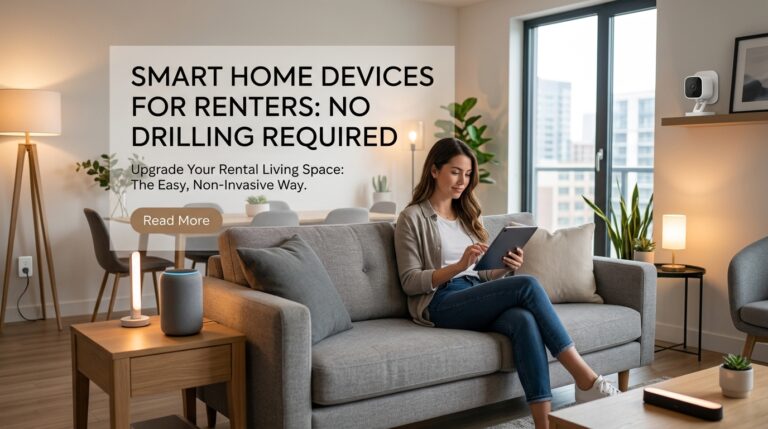
The best smart home devices guide for most renters is the Amazon Smart Plug Mini — it needs zero installation, works instantly, and you take it when you move. For a full renter-friendly setup, pair it with a no-drill video doorbell, a retrofit smart lock, and swappable smart bulbs. All seven picks below are portable, lease-safe, and available on Amazon.
Who this is for: Renters, apartment dwellers, people on short leases who want smart home automation without risking their security deposit.
Who this is NOT for: Homeowners with full access to electrical panels and structural walls — you have better permanent options.
Our #1 pick: Amazon Smart Plug Mini
You finally found a decent apartment, signed the lease, and now you’re staring at dumb outlets, a buzzer intercom from 1987, and a landlord who’ll charge you for a single nail hole. Welcome to renter life in 2026.
The good news: you don’t need to drill a single hole or touch a single wire to turn your rental into a genuinely smart home. According to a Rent.com survey, 82% of renters want at least one smart system in their home — and the devices have finally caught up with that demand. Most of what I recommend below installs in under 10 minutes, packs into a box when you move, and costs less than a security deposit deduction.
I’ve tested all seven picks in rental properties. Here’s exactly what works and what to skip.
What to Look For in Renter-Friendly Smart Home Devices
Before buying anything, run it through this four-point checklist:
1. Zero permanent installation. Plug-in beats hardwired every time. If installation requires a drill, screwdriver into drywall, or cutting existing wiring, skip it. Look for devices that mount with adhesive (and come with removal instructions), clip onto existing hardware, or simply sit on a surface.
2. Portability. You’re going to move. Every device you buy should pack into a box in under 5 minutes. Wi-Fi-connected devices using standard 2.4 GHz bands are easiest to migrate — you’ll just re-enter your new network password. Hardwired systems that require a professional to uninstall are money you’re leaving behind.
3. No subscription required (or subscription optional). A $100 doorbell that requires a $5/month subscription costs you $400 over five years. For a renter who moves every 1–2 years, that math gets worse fast. Prioritize devices with free local storage or where the subscription only unlocks bonus features.
4. Retrofit-first for locks and thermostats. Smart locks that replace only the interior thumb-turn (leaving the exterior key intact) keep your landlord happy and keep you legal. For thermostats, check your existing wiring before buying — if there’s no C-wire, you need a model with a power adapter or battery backup.
Top 7 Smart Home Devices for Renters in 2026
| Device | Best For | Price Range | Drill-Free? | Subscription Needed? |
|---|---|---|---|---|
| Amazon Smart Plug Mini | Overall — instant automation | $10–15 | Yes (plug-in) | No |
| Ring Video Doorbell (Battery) | Security + package theft | $60–100 | Yes (no-drill mount) | Optional ($5/mo) |
| Schlage Encode Plus | Smart lock, key stays intact | $130–180 | Yes (retrofit) | No |
| Amazon Smart Thermostat | Energy savings on a budget | $60–80 | Partial (screws, no drilling) | No |
| Wyze Cam v4 | Indoor security, no sub fee | $30–40 | Yes (table-top) | No (local SD card) |
| Philips Hue Starter Kit | Smart lighting, bulb-swap only | $70–130 | Yes (bulb swap) | No |
| SwitchBot Hub 2 | Automate dumb AC/fans | $60–70 | Yes (table-top) | No |
Detailed Reviews
1. Amazon Smart Plug Mini — Best Overall
The simplest and most universally useful smart home device for renters. Plug it into any outlet, connect to Alexa, and you can control any lamp, fan, or appliance by voice or schedule. There’s nothing to install, nothing to remove at move-out, and nothing to configure beyond a 2-minute Wi-Fi setup.
I use four of these in my current apartment: one for the living room lamp (auto-on at sunset), one for the coffee maker (on at 7 AM), one for the TV power strip (kills standby power overnight), and one for a bathroom heater. The standby power savings alone cover the cost within a few months.
What I liked: Tiny form factor doesn’t block the second outlet. Works with Alexa, Google Home automation guide, and Apple HomeKit (via third-party bridges).
What to watch: 2.4 GHz only — won’t connect to 5 GHz networks.
2. Ring Video Doorbell (Battery) — Best Security for Apartment Renters
Package theft hits renters hard. Porch pirates stole an estimated $12 billion in goods in a single year in the US, and apartment mailrooms without surveillance are prime targets. The Ring battery doorbell fixes this without a single drill hole — Wasserstein and Ring both sell no-drill corner mounts that attach with heavy-duty adhesive.
Motion zones let you monitor just your door area without capturing a neighbor’s door across a shared hallway (important for both privacy and legality in multi-unit buildings). The free tier stores nothing in the cloud, but gives you live view and motion alerts. The $5/month Ring Basic adds 60-day video history if you want it.
What I liked: Long battery life (6–12 months per charge). Clear 1080p night vision. No-drill mounting is genuinely deposit-safe.
What to watch: Motion detection can be slow (2–3 second lag). Privacy laws on doorbell cameras in shared hallways vary by state — check before pointing it at a neighbor’s door.
3. Schlage Encode Plus — Best Retrofit Smart Lock
Smart locks make renters nervous for good reason: in states like Florida, tenants must get explicit landlord consent before changing a lock. The Schlage Encode Plus sidesteps this entirely — it replaces only the interior thumb-turn mechanism, leaving the original exterior hardware and key cylinder completely untouched.
Your landlord keeps their key. Maintenance still gets in. You get keypad entry, Alexa/HomeKit control, and the ability to create time-limited access codes for dog walkers or cleaners. When you move, remove the interior unit (a 10-minute job), reinstall the original thumb-turn, and take the Schlage with you.
What I liked: No hub required — Wi-Fi built in. Apple Home Key support. Landlord can use original key with no changes.
What to watch: Requires a standard US deadbolt. Won’t fit every door without an adapter.
4. Amazon Smart Thermostat — Best Budget Energy Saver
The U.S. Department of Energy estimates smart thermostats reduce heating and cooling costs by 10–23%, averaging about $50 per year in savings. The Amazon Smart Thermostat costs $80 and comes with a C-wire adapter, solving the most common renter installation problem.
Critical note for renters: Many apartments don’t give tenants access to the breaker box — and you must cut power to the HVAC before swapping thermostats. If you can’t access your breaker, skip the thermostat or get written permission and help from your landlord. When done right, the thermostat pays for itself in under 2 years and moves with you.
What I liked: Alexa integration, Hunny & Energy Savings reports built in. C-wire adapter included.
What to watch: Breaker access required. Not compatible with all HVAC systems (check compatibility list first).
5. Wyze Cam v4 — Best Budget Indoor Camera
At $35, the Wyze Cam v4 punches well above its price. 2K video, color night vision, two-way audio, and no mandatory subscription — events are stored locally to a microSD card (up to 256 GB). This makes it ideal for renters who don’t want ongoing cloud costs.
It sits on a tabletop or mounts on a shelf (included magnetic base). Magnetic base means zero holes, zero damage, zero deposit risk. Point it at your front door from inside, or use it as a pet cam while you’re at work.
What I liked: No subscription for basic features. Local storage. Works with Alexa and Google Home.
What to watch: Indoor only — not weatherproof. Cloud events are free for 14 days only.
6. Philips Hue Starter Kit — Best Smart Lighting
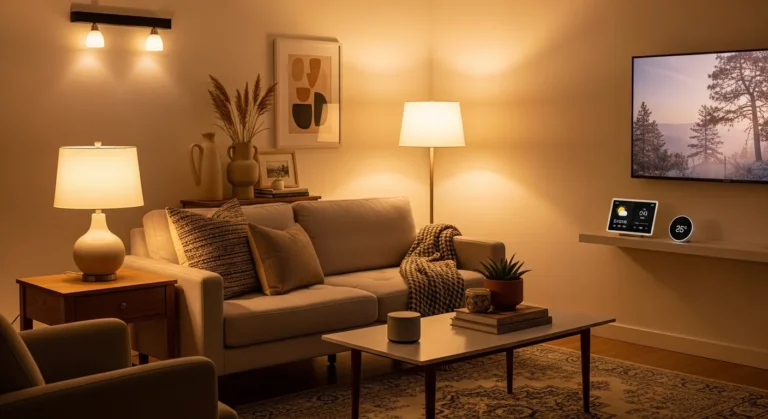
Smart lighting is the easiest smart home upgrade for renters: you swap the bulb, not the fixture. Philips Hue bulbs screw into any standard E26 socket and connect to a bridge hub (included in the starter kit) that plugs into your router.
The result is full color control, circadian rhythm scheduling, and scene-based automation — all completely removable in 30 seconds at move-out. When you leave, take the bulbs. Put the original bulbs back in. Done.
What I liked: Matter-compatible in 2026 — works with every smart home platform. Extremely reliable. Instant response time.
What to watch: Starter kit is expensive ($70–130). Individual bulbs at $15–20 each add up fast. Budget alternative: IKEA TRÅDFRI bulbs at ~$8 each.
7. SwitchBot Hub 2 — Best for Controlling Dumb Appliances
Most apartments come with window AC units, ceiling fans, and other appliances that have no smart home capability. The SwitchBot Hub 2 sits on your shelf and blasts infrared signals to control any IR-based device — air conditioners, TVs, fans, space heaters — using your phone or voice commands.
No wiring. No installation. Just plug it in and teach it your remotes in under 5 minutes. It’s the easiest way to automate appliances your landlord installed and you can’t swap out.
What I liked: Supports Matter over Thread. Built-in temperature and humidity sensor. Controls unlimited IR devices.
What to watch: Infrared requires line of sight to the device. Doesn’t work around corners.
Installation Tips That Won’t Cost You Your Deposit
Adhesive strips: 3M Command strips work — but test removal first. Apply one strip to a hidden baseboard, leave it 30 days, then remove it following the exact pull-tab method. If the paint holds, you’re safe. If not, use removable mounting putty instead.
Before you move out: Take photos of every device and mount location when you first install it. When removing adhesive-backed mounts, use dental floss to cut through the adhesive (slide it behind the mount in a sawing motion) before pulling — this prevents wall damage far better than ripping it straight off.
Smart lock move-out: Save the original hardware in a labeled bag the day you install your smart lock. Reinstalling the original takes under 10 minutes and leaves no trace.
For shared apartment Wi-Fi: If your building uses a captive portal (you have to log into a web page to use the Wi-Fi), your smart devices won’t be able to connect. Fix: pick up a travel router like the GL.iNet Beryl AX (~$80). Connect it to the building network once, and it creates a private Wi-Fi network for all your devices.
Budget vs. Premium Options
If you’re on a tight budget ($100 total): Get two Amazon Smart Plug Minis ($25), one Wyze Cam v4 ($35), and a 4-pack of smart bulbs from IKEA or Amazon Basics (~$40). This gives you automation, security, and lighting without any serious investment.
If you want a complete setup ($400–600): Add a Ring doorbell, Schlage Encode Plus, Philips Hue starter kit, and SwitchBot Hub 2. Every device is portable, and the total investment moves with you to every future apartment.
What’s NOT worth it as a renter: Hardwired video doorbells, smart home hubs that require wall mounting, professional-grade security systems with monthly contracts, and any device marketed as a “permanent installation.”
The Apartment Wi-Fi Problem (And the Fix)
This is the one issue almost no buying guide mentions. Many modern apartment complexes — especially newer builds — provide building-wide internet. The problem: that network often uses a captive portal login, meaning your smart devices (which can’t open a browser to log in) simply won’t connect.
The fix costs $30–80: a travel router. Plug a GL.iNet GL-MT3000 or similar into your apartment’s ethernet wall jack, or connect it to the building Wi-Fi once via browser. It creates your own private network at home. All your smart devices connect to that private network normally, and they’ll work without issue. You take the router with you when you move.
Frequently Asked Questions
Will smart home devices violate my lease?
Not if you choose the right ones. Plug-in smart plugs, swappable smart bulbs, battery-powered doorbells with no-drill mounts, and retrofit smart locks are all lease-safe. Avoid hardwired doorbells, wall-mounted panels, or anything requiring drilling without written landlord permission.
Can I lose my security deposit from installing smart home devices?
You can if you’re not careful. Adhesive mounts pulled after years can strip paint. Test adhesive removal in a hidden spot, use dental floss removal technique, and keep original hardware in labeled bags. Devices that install inside door hardware (like Level Bolt) leave zero visible trace.
Do smart home devices work on apartment shared Wi-Fi?
Most can’t connect to captive portal networks. The fix: a travel router ($30–80) creates your own private 2.4/5 GHz network. Full details in the section above.
What smart home devices are worth it for a 12-month lease?
Prioritize portable devices with fast ROI: smart plugs (pay off in weeks from standby power savings), smart thermostats (save ~$50/year, pay off in under 2 years), and smart bulbs you take with you. Avoid subscription-heavy cameras that lock you into ongoing costs.
How do I give my landlord access if I install a smart lock?
Use a retrofit lock that keeps the original exterior key intact. Give your landlord their original key — the outside of your door looks exactly the same. Create a separate entry code with a limited schedule for maintenance access.
Final Recommendation
The best smart home setup for renters in 2026 isn’t about the most impressive gadgets — it’s about maximizing what you can do without touching a wall, wire, or lease clause.
Start with the basics: two or three Amazon Smart Plug Minis and a set of smart bulbs. Add a battery-powered Ring doorbell if package theft is a concern in your building. If you want to go further, a retrofit smart lock and a travel router to solve the apartment Wi-Fi problem round out a genuinely smart home that packs into two boxes at move-out.
Every device I’ve recommended here follows the same rule: you own it, you control it, and you take it with you. That’s what renter-friendly actually means in 2026.
Related guides on 4casahome.com:
– Best Smart Lighting for Every Room
– Best Robot Vacuums for Apartments
– Home Automation for Beginners: Where to Start
Sources
- Rent.com Renter Preferences Survey — 82% of renters desire smart home devices
- U.S. Department of Energy, Energy Star Program — Smart thermostat savings: 10–23% HVAC reduction
- Security Industry Association — Package theft statistics, $12 billion annual losses
- PCMag — Best Smart Home Products for Renters 2026
- Florida Statute 83.535 — Landlord consent requirements for lock changes
Marcus Webb has rented apartments across four states over the past decade and has tested over 80 smart home products in rental settings. He specializes in no-damage, lease-safe home upgrades that actually work in the real world. He writes regularly for 4casahome.com on smart home automation, home office setups, and practical DIY improvements for renters and homeowners alike. Read more from Marcus →
Written and tested by our editorial team
4CasaHome Editorial Team
Interior Design & Smart Home Experts
All product reviews are based on hands-on testing in real home environments. Smart home content is verified by our CEDIA-certified integrator. Meet our team.