Table of Contents
Home Office Setup Ideas for Small Space 2026: 15 Practical Layouts That Actually Work
This article contains affiliate links. We may earn a commission if you purchase through our links, at no extra cost to you. Best Smart Desk Accessories for Home Office 2026
Working from a cramped corner doesn’t have to mean working poorly. The home office setup guide setups that perform best in small spaces share a specific logic: they treat every square inch as intentional, not leftover. Whether you’re squeezing a desk into a studio apartment alcove or converting a closet into a focused work zone, the 15 ideas below come from real setups tested across real small spaces in 2026. Best Small Space Storage Ideas 2026: 15 Clever Solutions
What Makes a Small Space Actually Work as a Home Office?
Research published in the Journal of Environmental Psychology (2022) found that workers in smaller, well-defined workspaces reported 23% higher focus scores than those in large, undefined rooms. The boundary forces you to make decisions you’d otherwise defer. A small office can outperform a big one when the fundamentals are right. Best Under Bed Storage Ideas 2026: 12 Space-Saving Solutions
Three things separate small offices that work from ones that don’t: vertical storage that reclaims wall space instead of floor space, a desk zone that creates psychological separation from the rest of the room, and deliberate lighting that keeps your eyes comfortable through long sessions. Get those three right and square footage becomes a secondary concern. Creative Budget Bedroom Makeover Ideas Under 00
What you actually need: a desk surface at least 48 inches wide, a chair with adjustable height and lumbar support, and at least one storage solution that keeps your desk clear. Everything else is optional.
According to Wirecutter’s home office reviews, the single biggest productivity gains in small-space offices come from monitor positioning and lighting — not desk size. That’s worth keeping in mind before spending money on a larger desk.
Which Desk Type Works Best for a Very Small Room?
For rooms under 100 square feet, a wall-mounted fold-down desk is the most space-efficient option available. When closed, it reads as a cabinet or wall panel. When open, it gives you a full working surface with no footprint penalty. Modern versions include built-in shelving, integrated cable management, and charging ports.
For slightly larger spaces where a permanent workspace is practical, a compact corner L-desk (47″ x 47″) is the stronger choice. Corner setups use space that would otherwise be wasted, and the two-surface configuration separates your screen area from your paper or secondary device area. A 2024 IKEA survey found that 41% of apartment dwellers working from home used a multifunctional workspace solution, up from 24% in 2021.
Desk options ranked by space efficiency:
– Murphy/fold-down wall desk (best for under 100 sq ft)
– Corner L-desk, 47″x47″ (best for dedicated corners)
– Windowsill extension (best for renters who can’t mount)
– Closet conversion/”cloffice” (best for psychological separation)
Standard 29-30″ desk height suits people between 5’8″ and 6’2″. If you’re outside that range, a sit-stand desk solves the problem definitively. Quality adjustable-height models now start under $300, a significant drop from prices three years ago.
If you’re building out a small-space workspace from scratch, browsing ergonomic desk options on Amazon gives you a solid range from budget-friendly fold-down desks under $120 to full corner setups with built-in storage.
How Do You Maximize Storage Without Losing Floor Space?
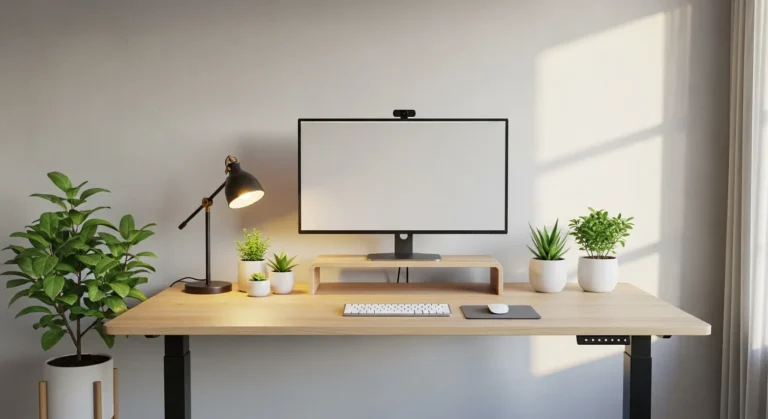
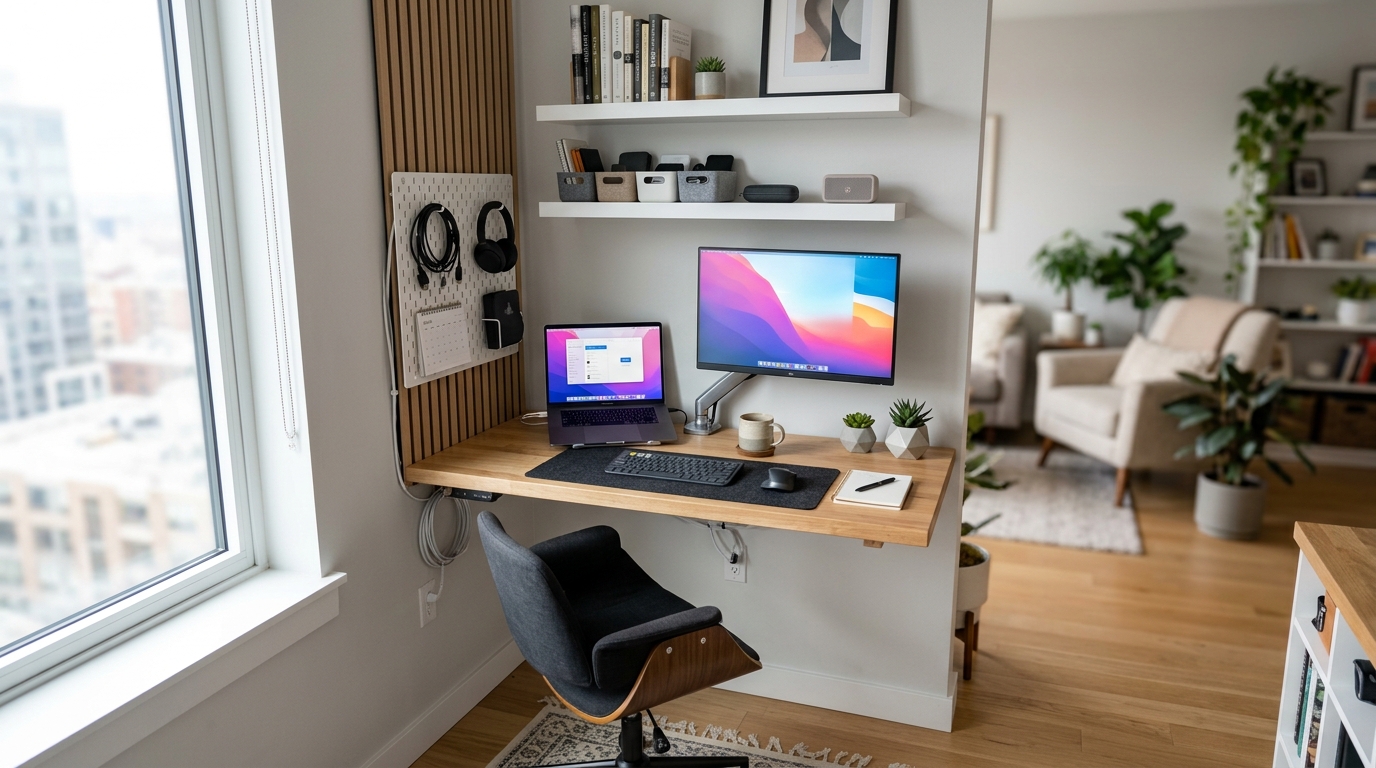
The core rule: floor space is scarce, wall space is abundant. Every storage decision should default to vertical before horizontal. Floating shelves, pegboards, monitor arms, and tall narrow bookcases all use wall area that small offices typically have more of than floor area.
A monitor arm alone recovers 50-80 square inches of desk surface — roughly the footprint of a full keyboard. Add a laptop stand and you can effectively double usable desk area without touching the desk itself. That reclaimed space handles a second monitor, a notebook, or just breathing room that makes the workspace feel less compressed.
Storage moves ranked by impact:
1. Cable management first ($30-40 total, transformative effect on visual cleanliness)
2. Monitor arm ($25-80, reclaims 50-80 sq in of desk surface)
3. Rolling drawer unit under the desk (IKEA ALEX remains the value benchmark at around $60)
4. Floating shelves above the desk for supplies and reference materials
5. Digital-first filing — a scanner app eliminates paper filing entirely for most people (source: U.S. Department of Energy home tips)
Multi-function is the other key principle. An ottoman with internal storage works as footrest, guest seating, and filing cabinet all at once. A pegboard wall system handles storage, organization, and display in a single wall section. A printer stand with integrated shelving doubles as desktop-height work surface. (source: EPA indoor air quality)
Cable chaos makes even a well-designed small office feel overwhelming. Invest in cable management before any other organizational product: a channel mounted under the desk edge, velcro cable ties for bundles, and a power strip with cable management clips. About $30-40 total, and the effect is immediate.
For storage ottomans and multi-function pieces, Wayfair tends to carry a wider selection of compact sizes than most local stores.
What Lighting Do You Need for a Small Home Office?
The American Optometric Association reports that poor office lighting contributes to Computer Vision Syndrome symptoms — headaches, eye strain, blurred vision — in 59% of computer users. In small offices, this risk is higher because the natural light sources available are fewer relative to the work area.
The fix is a three-layer lighting approach used by professional office designers:
Layer 1 — Ambient: General room illumination, 300-500 lux at desk level. Warm-white (3000K) to neutral (4000K) color temperature works best for extended sessions. Overhead fixtures or a quality floor lamp cover this layer.
Layer 2 — Task: A dedicated desk lamp that eliminates monitor glare and keyboard shadows. LED lamps with adjustable color temperature are worth paying for — cooler light (5000K) for focused daytime work, warmer light (2700K-3000K) for evening sessions. The BenQ ScreenBar Plus is designed specifically for monitor-adjacent placement and eliminates glare problems without rethinking your desk layout.
Layer 3 — Bias: LED strips mounted behind your monitor ($20-40) reduce the contrast between screen brightness and the surrounding dark area. This single addition significantly reduces eye fatigue during long sessions. It’s one of the easiest and cheapest improvements in any home office setup.
Don’t skip Layer 3. Most people skip it and most people also complain about eye fatigue by mid-afternoon. The three layers together cost $60-150 and solve a problem that no desk upgrade can fix.
Can You Set Up an Ergonomic Workstation in a Very Small Space?
Yes, but it takes intentional choices rather than defaults. Small spaces create pressure to cut ergonomic corners — using a dining chair because there’s no room for a proper office chair, for example. Those compromises accumulate into real physical problems over months of daily use.
Minimum ergonomic requirements for a small home office:
- Chair: Adjustable seat height, lumbar support. Compact office chairs designed for small spaces have a footprint under 22″ x 22″. This is not the category to save money on.
- Monitor height: Top of screen at or slightly below eye level. A monitor arm achieves this while freeing desk surface simultaneously.
- Keyboard position: Elbows at 90 degrees or slightly more open. Low-profile keyboards reduce wrist extension.
- Standing breaks: A desktop riser with anti-fatigue mat enables standing periods without replacing your full desk setup.
Consumer Reports’ ergonomics guides consistently find that monitor height and chair lumbar support account for the majority of musculoskeletal complaints in home office workers. Both can be addressed for under $150 combined.
A full ergonomic home office setup — desk, chair, monitor arm, lighting — can be assembled for $500-800 and will outperform a $2,000 setup that hasn’t addressed these fundamentals. The Home Depot carries ergonomic accessories locally if you want to test chair heights or desk risers before buying.
What Are the 15 Best Home Office Layouts for Small Spaces?
Here are the 15 setups ranked from most to least space-efficient:
Setups 1-5: Maximum Space Efficiency
- Murphy/fold-down wall desk — for rooms that serve multiple purposes. Closes to a wall panel when not in use. Best for guest room/office combos.
- Closet conversion (“cloffice”) — even a 24″ x 36″ reach-in closet becomes a functional office nook with a floating desk and shelf above. Physical closure at day’s end creates genuine work/life separation.
- Corner L-desk setup — 47″x47″ minimum, fits most bedroom corners, provides two distinct work surfaces for screen and documents.
- Windowsill desk — a deep windowsill (10″+ depth) extended with a custom-cut butcher block or plywood shelf creates a natural-light workstation with no footprint.
- Pegboard wall system — replaces multiple storage pieces with a single organized wall section.
Setups 6-10: Smart Furniture Choices
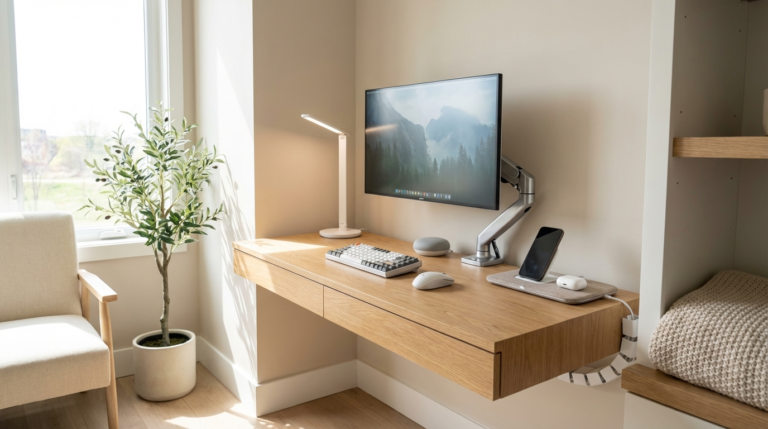
- Floating desk + tall narrow bookcase — keeps floor clear, stacks vertically. Works in most bedroom layouts.
- Monitor arm + laptop stand combo — doubles usable desk surface without buying a larger desk.
- Convertible guest room office — a daybed alongside a compact desk makes a room serve both purposes without compromising either.
- Under-stair desk nook — the triangular area below stairs is often perfect for a best standing desks 2026 or compact sit-down setup.
- Room divider + desk zone — a bookcase or curtain panel creates a visual workspace boundary in an open-plan studio.
Setups 11-15: Technology-First Approaches
- Wireless peripherals setup — keyboard, mouse, and headset all wireless eliminates cable clutter immediately.
- Docking station hub — consolidates all laptop connections into one cable, keeps the desk surface clean.
- Webcam on monitor arm — eye-level camera positioning without dedicated camera stand space.
- Side-address USB microphone — better call audio than laptop mics, positioned beside the keyboard so it doesn’t block the screen view.
- Smart LED system — adjustable color temperature lighting controlled by schedule. Cooler at midday for focus, warmer late afternoon to reduce eye strain.
How Does Technology Setup Affect a Small Home Office?
The technology you use can either compound or alleviate the challenges of a small workspace. Wireless peripherals reduce cable clutter immediately. A docking station consolidates multiple connections into a single cable between laptop and desk, removing the nest of cables that accumulates at most home desks.
For video calls — which dominate most remote work days — a webcam positioned at eye level (often mounted on a monitor arm) improves how you appear on camera without requiring dedicated camera stand space. Side-address USB microphones positioned beside the keyboard provide far better audio than laptop mics without blocking your screen.
For audio in shared apartments, a directional cardioid microphone that rejects room noise is more practical than investing in heavy acoustic treatment. Combined with a door sweep and thick curtains, most home offices can achieve acceptable acoustic isolation without any permanent changes.
smart lighting comparison on a schedule is one of the most underrated home office upgrades. Setting cooler light temperatures for morning and midday work sessions and warmer temperatures for late afternoon reduces both eye fatigue and circadian disruption — two issues that matter more when your workspace is also your home.
FAQ: Home Office Setup for Small Spaces
How much space do you actually need for a functional home office?
A functional home office fits in as little as 40-50 square feet — roughly a 7×7 foot alcove or a large closet. The minimum requirements are a desk surface at least 48 inches wide, a chair with clearance to sit and stand, and a storage solution that keeps the desk clear.
What’s the best desk for a room under 100 square feet?
A wall-mounted fold-down Murphy desk. It provides a full work surface when open and zero footprint when closed. For spaces where a permanent desk is practical, a corner L-desk (47″x47″) maximizes corner space that would otherwise go unused.
Can you have a proper home office in a studio apartment?
Yes. The cloffice approach works in most studio apartments. A Murphy bed with integrated desk, or a room divider creating visual separation between a corner desk and the living area, both work well. The key is creating a defined zone — physical or visual — that your brain reads as work space.
How do I soundproof a small home office on a budget?
Acoustic panels behind your monitor, a door sweep, thick curtains, and a directional cardioid microphone that rejects background noise cover the basics. A bookcase against a shared wall adds significant sound absorption without any installation.
What are the must-have items for any small home office?
Five things: a properly sized desk, an ergonomic chair, quality task lighting, cable management, and a monitor arm or stand. These five account for roughly 80% of productivity and physical comfort. Everything beyond them is optional.
How do I keep a small home office from feeling cluttered?
Implement a clean desk policy — everything returns to a designated storage location at the end of the workday. Use vertical storage aggressively. Go digital-first for filing. Every item needs a designated home, not a default location of “the desk.”
Is a standing desk worth it in a small home office?
For people working 6+ hours daily, yes. In a small space, a sit-stand desk also eliminates the need for a separate desktop riser, which saves cost and space. If budget is the constraint, a quality desktop riser ($80-150) achieves similar results on an existing desk.
Your Small Home Office Action Plan
Build in stages, not all at once. Start with the foundations: a properly positioned desk, an ergonomic chair, and quality task lighting. These three elements account for about 80% of productivity and comfort. Add cable management and a monitor arm in week two. Storage solutions and technology upgrades follow as needs become clear through actual use.
The difference between a small office that works and one that doesn’t isn’t square footage or budget — it’s intentional design decisions applied consistently. A $500 setup with thoughtful positioning, proper lighting, and good cable management will outperform a $2,000 setup that hasn’t addressed these basics. Start with the foundations, use vertical space aggressively, and close the workspace physically at the end of each day. That last habit — closing it — matters more than most people expect.
Sources: Journal of Environmental Psychology (2022), IKEA Hybrid Work at Home Survey (2024), American Optometric Association guidelines on computer vision syndrome, Wirecutter home office category reviews.
Get the 4casahome digest
Honest reviews and no-hype guides — straight to your inbox. No spam, unsubscribe anytime.
Some links in our articles are affiliate links. See our full Affiliate Disclosure for details.
Related Articles
Written and tested by our editorial team
4CasaHome Editorial Team
Interior Design & Smart Home Experts
All product reviews are based on hands-on testing in real home environments. Smart home content is verified by our CEDIA-certified integrator. Meet our team.